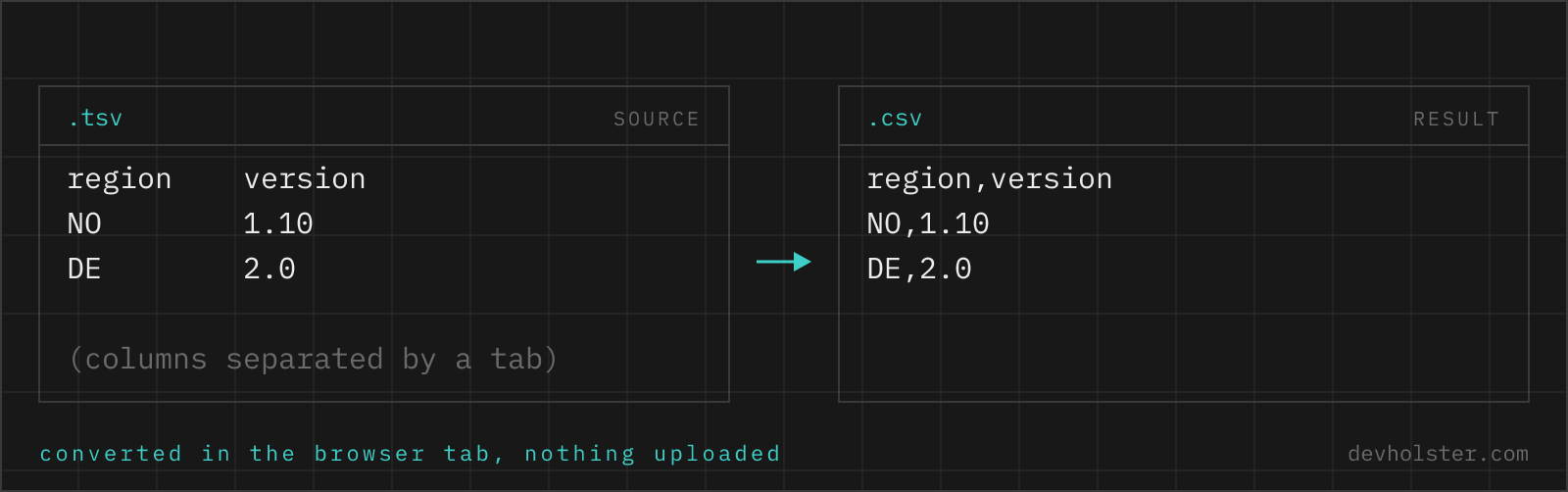
Why convert TSV to CSV at all
TSV arrives; CSV is demanded. That is the usual shape of this conversion. Tab-separated text is what Excel and Google Sheets put on the clipboard when you copy cells, what MySQL and PostgreSQL emit in their default text export modes, and what plenty of scientific tooling writes. Meanwhile the systems on the receiving end, upload forms, CRM importers, payment providers, "please send us a CSV" colleagues, want comma-separated files, often quite literally validating the extension.
The naive fix, replacing every tab with a comma, plants a landmine: any value that itself contains a comma silently becomes two columns on the next import. The correct conversion parses the rows first and then writes CSV with proper quoting, which is what this page does, and why the output sometimes has quotes the input never needed.
How to use this converter
Paste tab-separated text into the left pane, or drop a .tsv or .txt file on it, and the CSV appears on the right while you type. Copying a range in Excel and pasting it here works directly, because the clipboard format is TSV.
- Paste or drop your TSV. Spreadsheet clipboard content, database dumps, exported reports; anything tab-delimited works.
- Check the numbers. The strip under the panes shows sizes, line count and row count. A row count that differs from your expectation usually means unquoted line breaks in the source.
- Copy or download. The download saves a
.csvthat Excel opens on double-click, including the UTF-8 marker Windows Excel needs for umlauts.
--semicolon
Writes semicolons instead of commas, the dialect European Excel installations read natively. Details below, because this single toggle is the difference between a clean grid and a one-column mess on a German machine.
--lf
Unix line endings (\n) instead of the CRLF default. For git-tracked files and Unix tools; leave it off for anything Office-shaped.
Where TSV comes from, and what that implies
Knowing the source of a tab-separated file predicts its quirks:
- Spreadsheet clipboard. Copying cells in Excel or Google Sheets yields TSV, with multi-line cells wrapped in quotes. This converter reads that quoting, so pasted ranges with line breaks inside cells survive intact.
- Database exports.
mysql --batchand PostgreSQL'sCOPY TOin text mode emit tab-delimited rows, but escape special characters with backslashes (\t,\n,\Nfor NULL) rather than quotes. The tabs and rows convert fine here; backslash escapes are passed through as literal text, so replace them beforehand if your dump contains them. - Scientific and log tooling. Usually the strict dialect: no quotes, no tabs inside values, one record per line. The simplest case, converts perfectly.
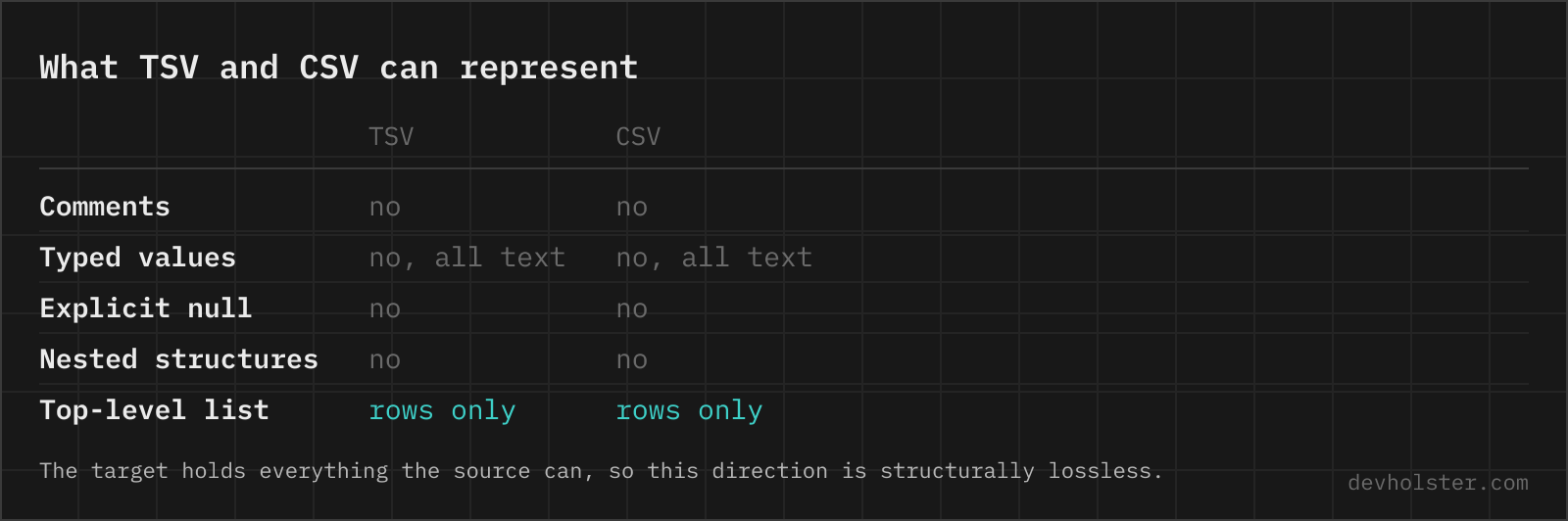
What actually changes in the output
| Input cell (TSV) | Output cell (CSV) | Why |
|---|---|---|
Hopper, Grace | "Hopper, Grace" | Contains the new delimiter |
5" display | "5"" display" | Quotes must be doubled inside quotes |
| quoted multi-line cell | quoted multi-line cell | Line break stays inside the cell |
Berlin | Berlin | Nothing to protect |
With --semicolon the logic is identical but keyed to the semicolon: Hopper, Grace then needs no quotes at all, while a cell containing a semicolon gains them. In both dialects the rule is minimal quoting, exactly the cells that would otherwise break, nothing else, which keeps diffs small and files readable.
Comma or semicolon: pick by the target Excel
The single most common failure with CSV files in Europe is the locale split. Excel installations using comma as the decimal separator (Germany, Austria, France, Spain, Italy, the Nordics and more) read and write .csv with semicolons; installations using the decimal point (US, UK, Ireland) use commas. Open a file from the wrong camp and everything sits in column A.
So the question "comma or semicolon" has a boring, reliable answer: match the Excel that will open the file. Sending data to a German accounting department, convert with --semicolon. Feeding an API, a Python script or a US SaaS import, use commas, and expect the strictest consumers to accept nothing else. When the same file must serve both, ship comma-CSV and tell the European recipients to use Excel's import dialog instead of double-clicking; it is the only route that respects an explicit delimiter choice.
Pitfalls to check after converting
- Backslash-escaped dumps. Database exports with
\Nand\tsequences carry those through literally. Decide what NULL should look like in your CSV (usually an empty cell) and replace before or after converting. - Numbers with commas. A cell like
1,5(European decimal) is now a quoted string in comma-CSV. The value is intact, but a US-locale consumer will read text, not a number. Decimal-format harmonising is a data question the delimiter cannot answer. - One column in Excel. Delimiter and locale disagree; flip
--semicolonand re-download. - Unquoted line breaks in the source. They were row boundaries to the parser, so what looked like one record became two rows. Fix the source quoting; nothing downstream can rejoin them reliably.
TSV questions
Is it safe to paste exported data into an online converter?
Only into one that converts in your browser. Clipboard dumps from spreadsheets and database exports are the usual input, and those are the rows your company would not knowingly hand to a stranger. The conversion runs here as JavaScript inside your tab, so nothing is uploaded, logged or stored, and the page works offline. For any other tool, open the Network tab in devtools and convert a dummy row before you paste the real one.
How do I turn data copied from Excel into a CSV file?
Copy the range and paste it into anything that reads tab-separated text, because that is the format Excel puts on the clipboard. A converter or a text editor saved as .csv both work, and the route has one real advantage over Excel's own Save As: it exports exactly the cells you selected instead of the entire sheet, and it does not touch your locale settings. Save As is still the better choice for a whole workbook, keeping in mind that it writes one file per sheet and uses the delimiter your Windows region setting dictates, which is a semicolon in most of continental Europe.
What is the difference between TSV and CSV?
The delimiter between cells: tabs in TSV, commas in CSV. Everything else follows from that one choice. Commas appear constantly inside real data, so CSV needs quoting rules around values like "Hopper, Grace"; tabs are rare in data, so TSV mostly gets by without quotes. CSV is the universally recognised exchange format; TSV is what spreadsheets copy to the clipboard and what many database tools prefer.
Why is my converted CSV full of quotes that the TSV did not have?
Because the comma is a character your data actually contains. Every value with a comma, like names written surname-first or addresses, must be quoted in CSV or it would split into two cells. The converter adds exactly the quotes RFC 4180 requires and no more. The data is unchanged; the quotes are syntax, and every CSV consumer removes them again on read.
Which delimiter should I use for German or French Excel, comma or semicolon?
Semicolon. Excel in most continental European locales uses the comma as the decimal separator, so it expects .csv files to be semicolon-delimited and shows comma-delimited ones as a single column. Turn on --semicolon and the output opens correctly in German, Austrian, French and similar Excel installations. For US/UK Excel and for programming, keep the comma.
My TSV has cells containing line breaks. Do they survive?
Yes, if they were quoted in the source (Excel quotes them when copying multi-line cells), the parser keeps them inside the cell, and the CSV output quotes them again. A bare, unquoted line break in a TSV is indistinguishable from a row boundary, so it starts a new row; no converter can guess otherwise, because the format itself cannot express the difference.
Why does Excel show my CSV in one column after converting?
A locale mismatch: your Excel expects semicolons (typical for German and French installations) but the file uses commas, or the other way round. Convert again with --semicolon toggled to match the target Excel. The other classic cause is a file whose extension does not match its delimiter, since Excel picks its splitting rule from the extension, not the content.
Why does Excel drop leading zeros and mangle IDs when opening a CSV?
Because a double-clicked CSV is parsed with automatic type detection and nothing in the file says otherwise. Zip code 01067 becomes 1067, order number 1-2 becomes 1 February, a 19-digit ID becomes 1.23457E+18 and loses its last digits for good, and a gene name like SEP1 turns into a date, which is why genomics renamed several genes rather than keep fighting Excel. The file is fine; the import is the problem. Use Data → From Text/CSV instead of double-clicking, set the affected columns to Text in the preview, and keep the original file as the source of truth. Saving after such an import writes the damage back, and no converter can recover digits Excel has already rounded away.
Are CRLF or LF line endings correct for CSV?
RFC 4180 specifies CRLF, and Excel on Windows is happiest with it, which is why CRLF is the default here. LF-only files work in most modern software, and --lf produces them for Unix pipelines and git-friendly data files. What actually breaks parsers is not the choice but mixing endings within one file, which this converter never does.