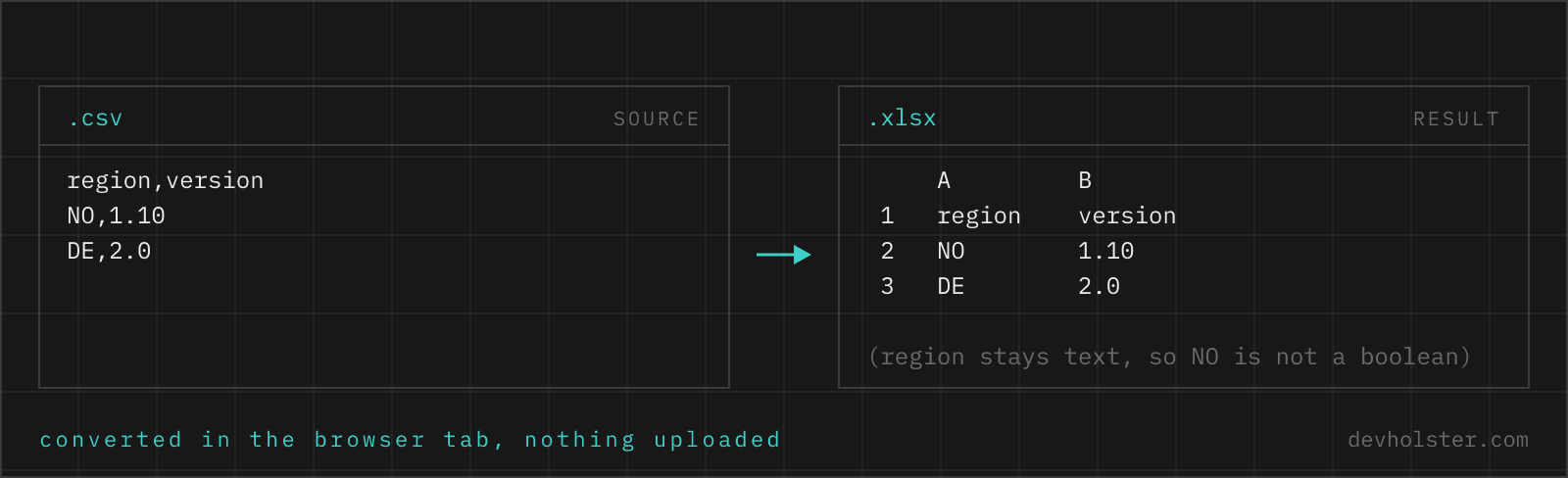
Why not just rename the file to .xlsx
Because the extension is not the format. A CSV is a text file; an .xlsx is a ZIP archive holding a dozen XML parts that describe cells, types, styles and sheets. Rename a CSV and Excel opens it with an error and, in newer versions, a warning that the file is corrupt. Converting means building that archive, which is what this page does in your browser.
The real reason to bother is not the container, though. It is that CSV has exactly one type: text. Whether 007421 is an article number or the number seven thousand four hundred and twenty-one is not written down anywhere in the file, so whoever opens it has to guess. Excel guesses on every single cell, immediately, without asking, and its guesses are tuned for spreadsheets rather than for data exports. An .xlsx removes the guessing: each cell carries its type, so 007421 stays 007421 on every machine that opens the workbook.
How to use this converter
Paste CSV into the left pane or drop a .csv file on it. The right pane shows the sheet you are about to download, including how each column will arrive in Excel, and the download button hands you the finished workbook. The input delimiter is detected from the file, so comma, semicolon, tab and pipe exports all work without settings.
- Paste or drop your CSV. Quoted values, commas inside quotes and line breaks inside cells are parsed properly, not split on.
- Read the column list. Under the preview grid every column is listed with the type it will have in the sheet. This is the step that saves you the "why is my article number 7421" conversation later.
- Download the .xlsx. The stats strip shows the size of both files; the workbook is deflate-compressed, so it is usually smaller than the CSV once the file has a few hundred rows.
sheet
The name of the worksheet tab, and the file name of the download. Excel allows 31 characters and forbids : \ / ? * [ ], which are replaced rather than rejected.
--dates
On by default. Turns unambiguous ISO 8601 values into real Excel dates: 2024-05-14, and with a time behind it 2024-05-14 09:30 or 2024-05-14T09:30:00. Nothing else is treated as a date, on purpose (see the FAQ on dd.mm.yyyy). Switch it off when a column of ISO-looking version tags or IDs should stay text.
--no-header
Treats row 1 as data. Without it, row 1 becomes a bold, frozen header with an autofilter, which is what you want in nine out of ten exports and irritating in the tenth.
--text
Writes every cell as text with the @ number format. Nothing is converted, nothing is rounded, nothing becomes a date. This is the setting for a file you are archiving or handing to a system that reads the cells back out, and the wrong one for a file someone will do arithmetic in.
What Excel does to a CSV when it opens one itself
Double-clicking a CSV runs it through Excel's import guessing. These are the five failures we have run into most often, and all five disappear once the data arrives as a typed workbook.
| Value in the CSV | What Excel shows | What happened |
|---|---|---|
007421 | 7421 | Read as a number, leading zeros are not part of a number |
4019876543210987 | 4.01988E+15 | 16 digits, and Excel stores 15; the last digit is now a zero |
SEPT1 | 1-Sep | Recognised as a date, the original string is gone |
1-2 | 02.01.2024 | Same guess, with the current year filled in |
Grüße | Grüße | UTF-8 file without a BOM, read as the system code page |
The first two are lossy in the strict sense: the value in the cell is no longer the value in the file, and no undo brings it back once the sheet is saved. The gene-name row is the famous one, documented in a 2016 Genome Biology paper that found mangled gene symbols in roughly a fifth of published papers with Excel supplements. Microsoft has since added opt-out switches under File, Options, Data, but they live on one installation and do not travel with the file. Cell types do.
There is a sixth annoyance that is not data loss but costs everyone ten seconds: the delimiter. Excel splits a double-clicked CSV on the Windows list separator, which is a comma in en-US and a semicolon in de-AT, de-DE and fr-FR. Hand the same file to two colleagues in different locales and one of them sees a single column. An .xlsx has no delimiter at all, so the question never comes up.
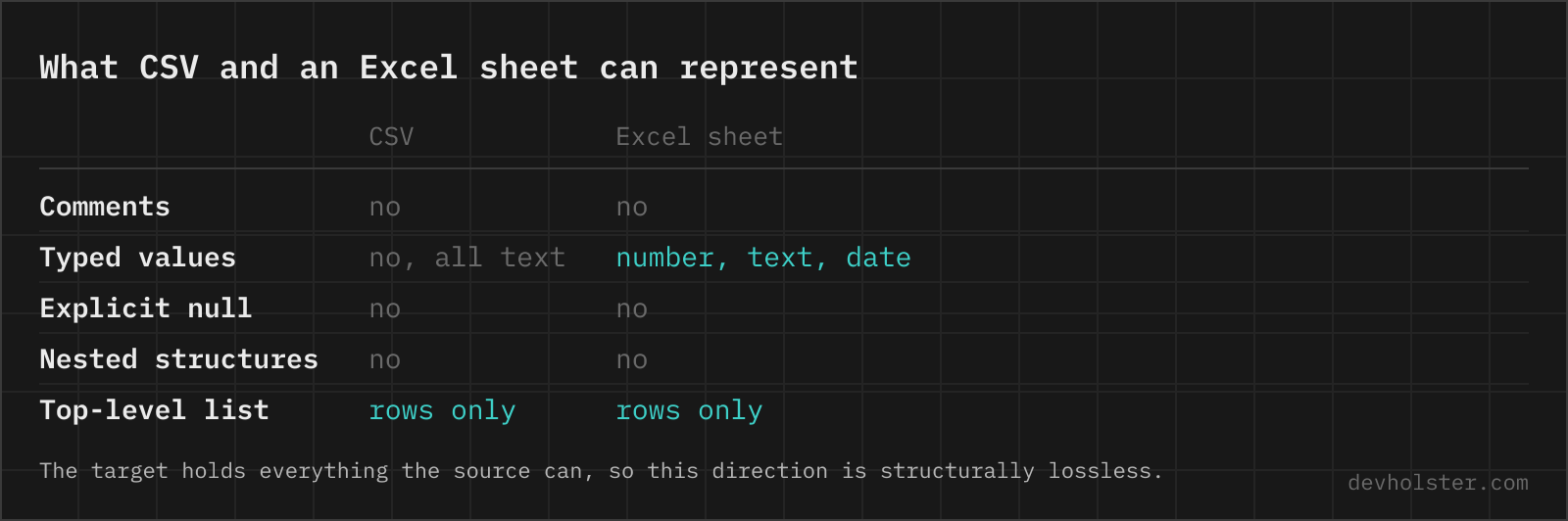
How this converter decides text, number or date
A conversion has to be reversible. If writing a value as a number would change it, it stays text, even when it looks numeric. Concretely:
- Number when the value matches an optional minus, digits without a leading zero, and optionally a decimal point with more digits, and has at most 15 significant digits. So
19.99,-4and1249.90become numbers. - Text when the value has a leading zero (
007421), more than 15 digits (4019876543210987), a thousands separator, a currency symbol, a plus sign or anything else that would need reinterpretation. Numeric-looking text also gets the@format, so Excel stops offering to convert it back on the next edit. - Date only for ISO 8601, with or without a time.
- Boolean for
trueandfalsein any capitalisation, which is what JSON exports and database dumps write. - Empty for an empty cell. It is written as no cell at all, not as an empty string, so
ISBLANK()andCOUNTA()behave the way a spreadsheet user expects.
Decimal places come from the data. If a column holds 1249.90 and 89.50, the column gets the number format 0.00, because a price list that reads 1249.9 after conversion looks broken even though the value is right. Mixed columns keep their cells individually typed and get no column format, which is the honest outcome when a column contains both 12 and n/a.
What happens to the header row
Row 1 is written as text, in bold, with the pane frozen underneath it and an autofilter across the used range. Those three things are the reason a colleague opens your workbook and starts working instead of first fixing it. They are also the part most CSV to XLSX converters skip, which is why their output feels like a renamed CSV.
Column widths come from the longest value in each column, capped at 60 characters so one long free-text field does not push everything else off the screen. Nothing else is styled: no colours, no borders, no theme. Formatting is a decision about your data, and a converter that makes it for you is a converter you end up undoing.
Limits of a worksheet, and of a browser tab
A worksheet holds 1,048,576 rows and 16,384 columns, per Excel's specifications and limits. A single cell holds 32,767 characters. Dates start at 1 January 1900, so anything older cannot be a date cell at all, and February 1900 has an extra day in Excel's calendar that never existed, a compatibility bug inherited from Lotus 1-2-3 and now part of the file format.
The browser adds its own ceiling. Everything happens in memory, so a 100 MB CSV means the text, the parsed grid and the generated XML are all resident at once. In our tests a few tens of MB convert comfortably on a normal laptop and the tab gets sluggish well before Excel's row limit is reached. That is the price of not uploading the file, and for the file sizes people actually paste into a browser it is not a price at all.
Online tool vs. Excel, pandas and LibreOffice
Excel itself does the job properly if you import instead of double-click: Data, Get Data, From Text/CSV opens Power Query, where you set the delimiter, the encoding and the type per column before anything is loaded. It is the right tool when you will keep working in that workbook anyway. It is also six dialogs deep and needs a licence.
pandas is the right tool inside a pipeline, with the caveat from the FAQ: read with dtype=str or pandas guesses exactly like Excel does. LibreOffice in headless mode is the right tool for a scripted batch on a server, at the cost of a filter string with ASCII codes in it.
A browser converter wins in the case that comes up most: one file, in your hand, right now, and it contains something you would rather not hand to a random web service. Our honest take after doing all four: for a recurring job, script it; for the file in your downloads folder, paste it here and be done in five seconds.
Getting data into Excel intact
Is it safe to turn a payroll or customer export into Excel with an online converter?
Only with one that builds the workbook in your browser, because those exports are exactly the files that must not land on a stranger’s server. Most online CSV to XLSX services upload the file, convert it server-side and send a download link back, which means the rows sat in someone else’s storage at least for a while. Here the .xlsx is assembled by JavaScript in your tab: the ZIP container, the sheet XML, the styles. Turn the network off after the page has loaded and everything still works, which is the quickest way to check any tool that makes this claim.
How do I convert a CSV to XLSX without Excel installed?
Any of three routes without a Microsoft licence: a browser converter like this one, LibreOffice on the command line with soffice --headless --convert-to xlsx data.csv, or Python with pandas.read_csv("data.csv").to_excel("data.xlsx", index=False), which needs openpyxl or XlsxWriter installed alongside pandas. Google Sheets can also import the CSV and export .xlsx, but that uploads the file to Google, so it is the wrong choice for anything confidential.
How do I stop Excel from turning SEPT1 or 1-2 into a date?
Hand Excel a file that already says "this cell is text", which is what an .xlsx does and a CSV cannot. In a CSV every cell is a string and Excel guesses on import, so gene names like SEPT1 and MARCH1 become 1-Sep and 1-Mar, and a part number like 1-2 becomes 2 January. A 2016 study in Genome Biology found the problem in about one fifth of published genomics papers with Excel supplements. Excel 365 has since gained switches under File, Options, Data, Automatic Data Conversion, but they are per-installation and do not travel with your file. Converting to .xlsx does travel with the file: a cell written as text stays text on every machine that opens it.
How many digits can Excel store in a number?
15 significant digits. Everything past the fifteenth becomes zero, silently and permanently: type 1234567890123456 into a cell and Excel stores 1234567890123450. That is why EAN-13 codes at 13 digits are still fine, while an 18-digit Snowflake ID, a 16-digit card number or a 20-digit IBAN are not. Such values belong in text cells, which is what this converter does automatically for anything longer than 15 digits or starting with a zero.
How do I convert CSV to Excel in Python?
With pandas: df = pd.read_csv("in.csv", dtype=str) then df.to_excel("out.xlsx", index=False), and install openpyxl first because pandas delegates the writing to it. The dtype=str part matters more than people expect, since without it pandas does the same lossy guessing Excel does and your leading zeros are gone before the file is even written. For full control over formats and column widths, write with XlsxWriter directly: workbook.add_format({"num_format": "@"}) applied to a column keeps it text.
How do I convert CSV to XLSX from the command line?
LibreOffice is the practical answer: soffice --headless --convert-to xlsx --outdir out/ data.csv. For a non-comma delimiter you have to spell out the filter, for example --infilter="CSV:59,34,76,1" where 59 is the ASCII code of the semicolon, 34 the quote character and 76 the UTF-8 code page. Python one-liners with pandas are easier to read; csvkit has in2csv and csvformat but no XLSX writer, so it is the wrong tool for this direction.
What is the difference between a .csv and an .xlsx file?
A CSV is one flat table of text with no types, no formatting and no second sheet. An .xlsx is a ZIP archive of XML parts (the OOXML format standardised as ECMA-376) that stores each cell with a type, a number format and a style, plus multiple sheets, frozen panes, filters, formulas and charts. The practical consequence: a CSV needs an importer to guess what the values mean, while an .xlsx already says it. That is the entire reason this page exists.
How many rows can an Excel worksheet hold?
1,048,576 rows and 16,384 columns, unchanged since Excel 2007. Anything bigger belongs in DuckDB, SQLite or pandas, not in a sheet.
Does the converted file open in Google Sheets, LibreOffice and Numbers?
Yes. Plain OOXML, one worksheet, no macros or pivot caches, and every change is checked against LibreOffice and openpyxl.
Can I put several CSV files into one workbook with multiple sheets?
Not here: one conversion writes one sheet, because a multi-file uploader would make the page slower to understand for the 95% case. For a real multi-sheet workbook, the shortest route is Python with pd.ExcelWriter("out.xlsx") and one to_excel call per file, each with its own sheet_name. Converting the files one at a time here and dragging the sheets together in Excel works too, and takes about the same time for three or four files.
Why does my date in dd.mm.yyyy format stay text?
Because 03.04.2024 is 3 April in Vienna and could be read as March in a US locale, and a converter that guesses gets it wrong for half the world. Only ISO 8601 dates (2024-05-14, optionally with 09:30 or 09:30:00 behind it) become real Excel dates here. Everything else stays exactly as written, which is at least reversible. If your export has local dates, convert the column to ISO before pasting, or convert them in Excel afterwards with DATE() and the parts from LEFT(), MID() and RIGHT().
Does converting to Excel fix a CSV whose umlauts are already broken?
No, and nothing else will either. If the CSV already contains ä instead of ä, the bytes for the correct character are gone and only a re-export from the source system brings them back. What conversion does fix is the future: an .xlsx stores text as UTF-8 inside the XML, so there is no code page for Excel to guess at and no way to open it "in the wrong encoding". A CSV needs a UTF-8 BOM for the same guarantee, and plenty of tools do not write one.