Why minify JSON at all
For an HTTP response, the answer is mostly "your server already did the important part". Gzip is very good at repeated whitespace, so the difference between a pretty-printed API response and a minified one usually disappears in compression.
The places where the raw byte count is the whole story are the interesting ones, and they are more common than the HTTP case:
- A JSON blob in a database column. Nothing compresses it, and you pay for it on every row, every backup and every replica.
- An environment variable or a CI secret. A service account key with indentation wastes space in a place that often has a hard limit.
- A queue message or a webhook payload. SQS caps a message at 256 KB, and plenty of webhook receivers cap lower.
- A value inside a URL or a cookie. Cookies are limited to about 4 KB per domain, and URLs get truncated by intermediaries long before any spec limit.
- Anything you are about to paste into a config field that expects one line.
Which leads to the rule we follow: minify JSON that travels or gets stored, and leave JSON that lives in a repository readable. A minified package.json helps nobody and will be rewritten by the next npm install anyway.
How to use this minifier
Paste JSON into the left pane, or drop a .json file on it, and the compacted result appears on the right while you type. The document is parsed and re-serialised rather than stripped with regular expressions, which is what makes the transformation safe.
- Paste or drop your JSON. An API response, a config file, a service account key.
- Read the numbers. The strip under the panes shows the original size, the minified size, the percentage saved and the gzipped size of the result.
- Copy or download as a
.min.jsonfile.
--repair
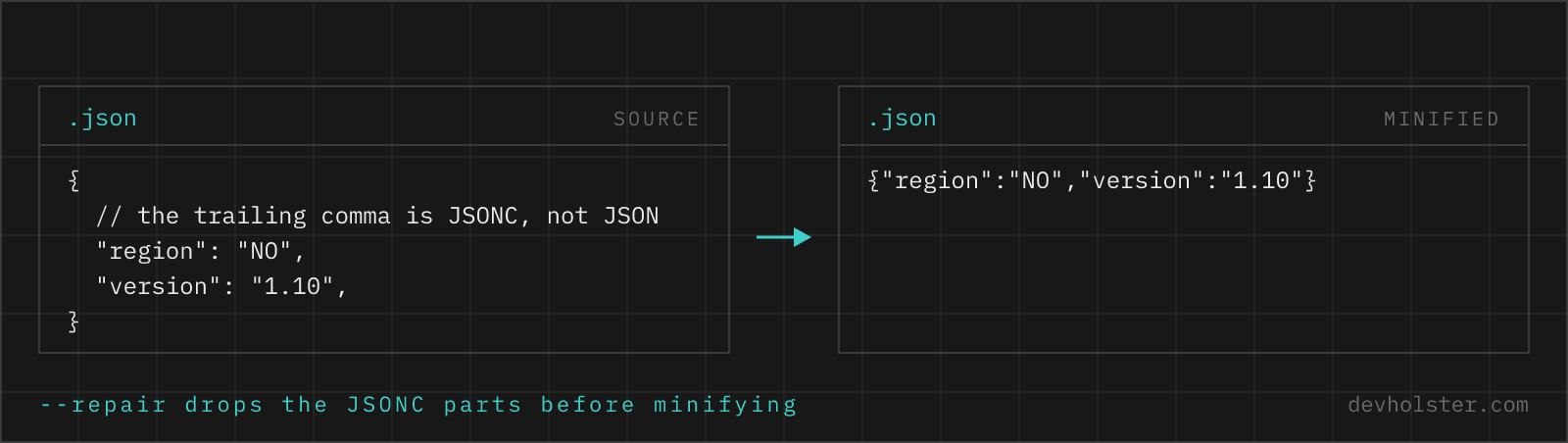
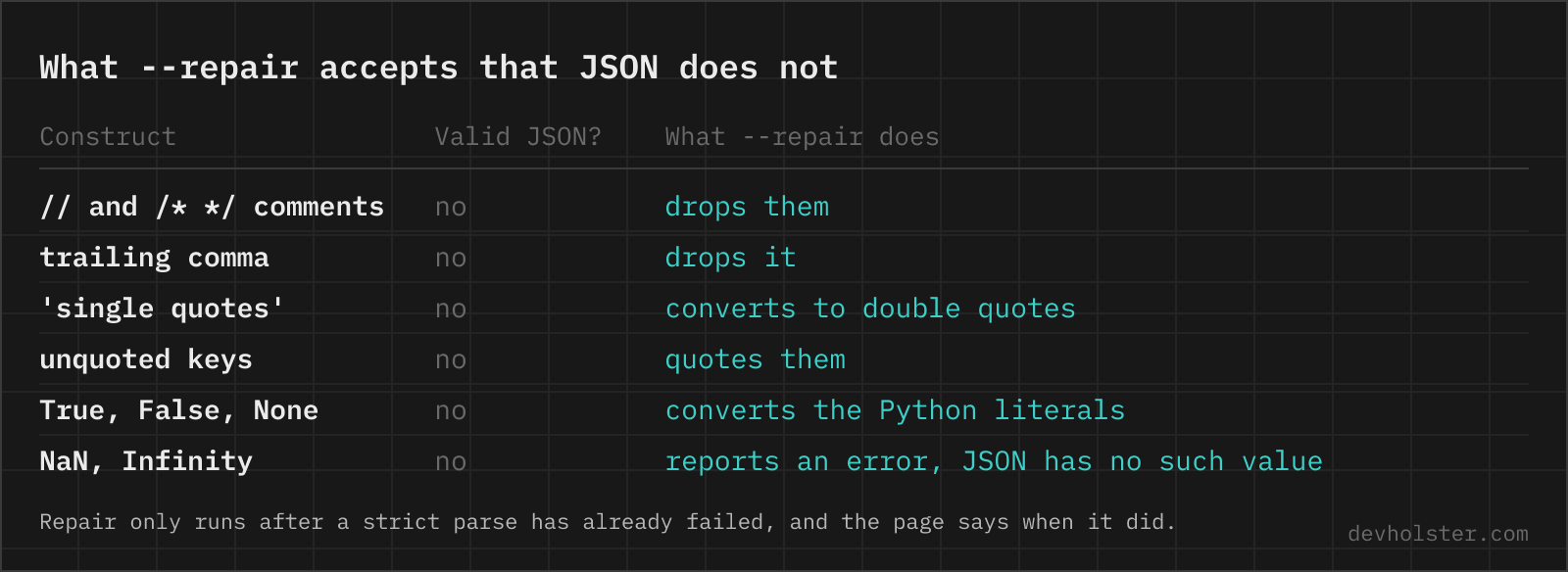
On by default, and it does nothing at all while your JSON is valid. It only steps in after strict parsing has failed, and then it reads the input the way a person would: // and /* */ comments dropped, a trailing comma before } or ] removed, single-quoted strings requoted, unquoted keys quoted, and Python's True, False and None mapped to their JSON counterparts.
This is the option that makes the tool useful on files that are not quite JSON: tsconfig.json and VS Code's settings.json are JSONC, a config exported from a JavaScript module is an object literal, and a dict printed by a Python script is neither. All three are things people genuinely need compacted, and all three make a strict minifier throw. When repair was needed, a note under the output says so, because you should look at the result before shipping it.
What gets touched and what does not
Minification removes exactly one thing: whitespace between tokens. In a prompt that whitespace is also a third of the LLM token bill. Everything else about the document is preserved, and the distinctions are worth spelling out because a regex-based tool gets each of them wrong.
| Element | What happens |
|---|---|
| Indentation and line breaks between tokens | Removed. This is the entire saving. |
| Spaces and newlines inside a string value | Kept exactly. They are data, not formatting. |
| Key order | Unchanged. JSON objects have no defined order, but changing it produces a pointless diff. |
| Unicode characters and emoji | Kept as literal UTF-8, not turned into \u escapes, which would be larger. |
| Duplicate keys | The last one wins, as in every JSON parser. Worth knowing, because the earlier ones disappear silently. |
| Numbers | Re-serialised through IEEE 754 doubles. See the warning below. |
The number caveat is the one real limitation and it applies to every JavaScript-based JSON tool, including jq in older versions and anything written in Node. An integer beyond 253, which is a 16-digit database ID or a Twitter-style snowflake, cannot be represented exactly and comes back rounded. If your JSON carries IDs of that size as numbers rather than strings, do not round-trip it through any tool of this kind, here or elsewhere. The robust fix is at the source: serialise large IDs as strings, which is what every API that has been bitten by this now does.
How much you actually save
Pretty-printed JSON with two-space indentation is typically 15 to 30 percent whitespace, and deeply nested documents sit at the top of that range because every level adds two spaces to every line. Four-space indentation pushes it higher still.
| Document | Pretty | Minified | Minified + gzip |
|---|---|---|---|
| Typical REST response, 50 records | ~42 KB | ~31 KB | ~3 KB |
| Deeply nested config | ~8 KB | ~5 KB | ~1 KB |
The gzip column is the one worth reading for anything served over HTTP, and it is why we show it under the tool rather than only the minified size. Where there is no gzip column, in a database field or a queue message, the middle column is your bill.
When minifying is not the answer
If a JSON file is large enough that you are looking for tools, the formatting is usually not the problem. Three things to check first:
A Base64 field. An embedded file is 33 percent larger than the bytes it holds and cannot be shrunk by any JSON tool. If one field dominates the size, that payload belongs outside the document, behind a URL.
Repeated keys across an array. Ten thousand records each spelling out "customer_email_address" is a lot of bytes that minification cannot touch and gzip removes almost entirely. This is a case where compression is the answer and shortening key names is premature.
One enormous array. A 2 GB JSON array has to be parsed in full before you can look at the first element, whatever its formatting. The format that fixes this is JSON Lines, one complete JSON value per line, which streams with flat memory and appends without rewriting. If you are minifying a huge array to make it manageable, JSON Lines is the change you are actually reaching for.
Minifying JSON in code and on the command line
| Where | How |
|---|---|
| Terminal | jq -c . file.json |
| Python | json.dumps(data, separators=(',', ':')) |
| Node | JSON.stringify(data) |
| PHP | json_encode($data) |
Two of those have a catch worth knowing. Python's json.dumps leaves a space after every comma and colon unless you pass separators, so the default output is not minified despite looking close; on a large document that is a few percent given away for nothing. And jq -c reformats numbers, which brings back the precision issue above.
Where a browser page wins is the JSON that is in your clipboard rather than in a file: a response copied out of the network tab, a config a colleague pasted into a chat, a key you are about to put into a CI variable. No install, nothing uploaded, and the gzip number right there for the decision you are actually making.
Compacting JSON, and when not to
Does minifying JSON change the data?
No. Whitespace between tokens carries no meaning in JSON, so removing it produces a document that parses to exactly the same value: same keys, same order, same array positions. The only thing that changes is the byte count. Whitespace inside a string is data and stays untouched, which is the distinction that matters and the one a regex-based "minifier" gets wrong.
How do I minify JSON on the command line?
jq -c . file.json is the shortest, and -c is the whole flag: compact output, one line. Without jq, python3 -c "import json,sys;print(json.dumps(json.load(sys.stdin),separators=(',',':')))" does the same, and the separators argument matters because json.dumps otherwise leaves a space after every comma and colon. In Node, JSON.stringify(JSON.parse(input)) with no third argument is already minified output.
What is JSON minification good for if the server gzips anyway?
Less than people assume for HTTP responses, and a lot for everything that is not one. Gzip removes repeated whitespace efficiently, so the compressed difference between pretty and minified JSON is often under 5 percent. Where the raw size is what counts: a JSON blob in a database column, a value in an environment variable, a payload inside a URL or a cookie, a message on a queue with a size limit, a document in a store that bills by stored bytes. In those places the uncompressed byte count is the bill.
Can I minify JSON with comments in it?
Not as JSON, because JSON has no comments; a file with them is JSONC or JSON5 and JSON.parse rejects it. That is exactly what the repair option here handles: it strips // and /* */ comments, along with trailing commas and unquoted keys, and produces valid minified JSON. The same applies to tsconfig.json and VS Code settings, which are JSONC in everything but the file extension. If you need the comments preserved, you do not want minified JSON at all, you want the file left alone.
What is the difference between minified JSON and JSON Lines?
Minified JSON is one document with the whitespace removed. JSON Lines (also NDJSON) is many documents, one complete JSON value per line, and it is a different format for a different job: streaming and appending. A 2 GB array of records has to be parsed in full before you can touch the first one; the same records as JSON Lines can be read one line at a time with flat memory. If you are minifying a huge JSON array to make it manageable, JSON Lines is probably the change you actually want.
Should I minify a package.json or a tsconfig.json?
No. Those files are read by humans and diffed in pull requests, and their size is irrelevant to anything. npm itself writes package.json with two-space indentation and rewrites it that way after every install, so a minified one will not survive the next npm command. The rule that has served us well: minify JSON that travels, keep JSON that lives in a repository readable.
Why is my minified JSON still huge?
Because the size is in the data, not the formatting. The usual culprits: a Base64-encoded file embedded in a field, which is 33 percent larger than the bytes it carries and cannot be minified at all; long repeated key names across thousands of array elements, which minify to nothing but compress beautifully; and rows of nulls for optional fields that could simply be omitted. Check the gzip figure under the tool before optimising anything, and if the file is mostly one Base64 field, move that payload out of the JSON.
Does minifying JSON break Unicode or emoji?
No. The parse-and-reserialise round trip here keeps every character as a literal UTF-8 character, so umlauts and emoji come through unchanged and the file stays smaller than one with \u escapes. Some tools escape all non-ASCII on output, which is valid JSON and roughly six bytes per character more expensive. If you specifically need pure ASCII output, for a channel that cannot carry UTF-8, that is a different transformation and a minifier is the wrong tool for it.