Why convert CSV to XML at all
Because the receiving side is older than your data. Product feeds, B2B order interfaces, SOAP endpoints, publishing pipelines and half of enterprise integration speak XML, and what you have is a spreadsheet export. The conversion shows up in migrations, in "please deliver the catalog as XML" requirements, and in seeding test data for systems whose native tongue is XML.
The mechanical part, wrapping cells in tags, is easy to do and easy to do subtly wrong: an unescaped & in one company name produces a file that parses up to that point and then dies at the consumer, and a header like in stock produces a tag with a space that was never legal XML. Those two failure classes are the actual reason to use a converter instead of a spreadsheet formula.
How to use this converter
- Paste or drop your CSV. The delimiter is detected automatically (comma, semicolon, tab, pipe), quoted cells with commas and line breaks are handled per RFC 4180.
- Set the element names. The
rootandrowfields control the wrapper and per-row element, so the output says<products><product>instead of generic names when the consumer expects those. - Copy or download the
.xmland validate it against the consumer's expectations once.
--nested
On by default: dotted headers become nested elements, a contact.email column turns into <contact><email>. This mirrors the flattening our XML to CSV converter performs, so a round trip restores the structure.
--pretty / --declaration
Two-space indentation for humans, single line for payloads; and the <?xml version="1.0" encoding="UTF-8"?> declaration, which is optional in the spec but expected by many older consumers.
The XML structure you get
| CSV | XML |
|---|---|
| the file | one root element (rows, or your name) |
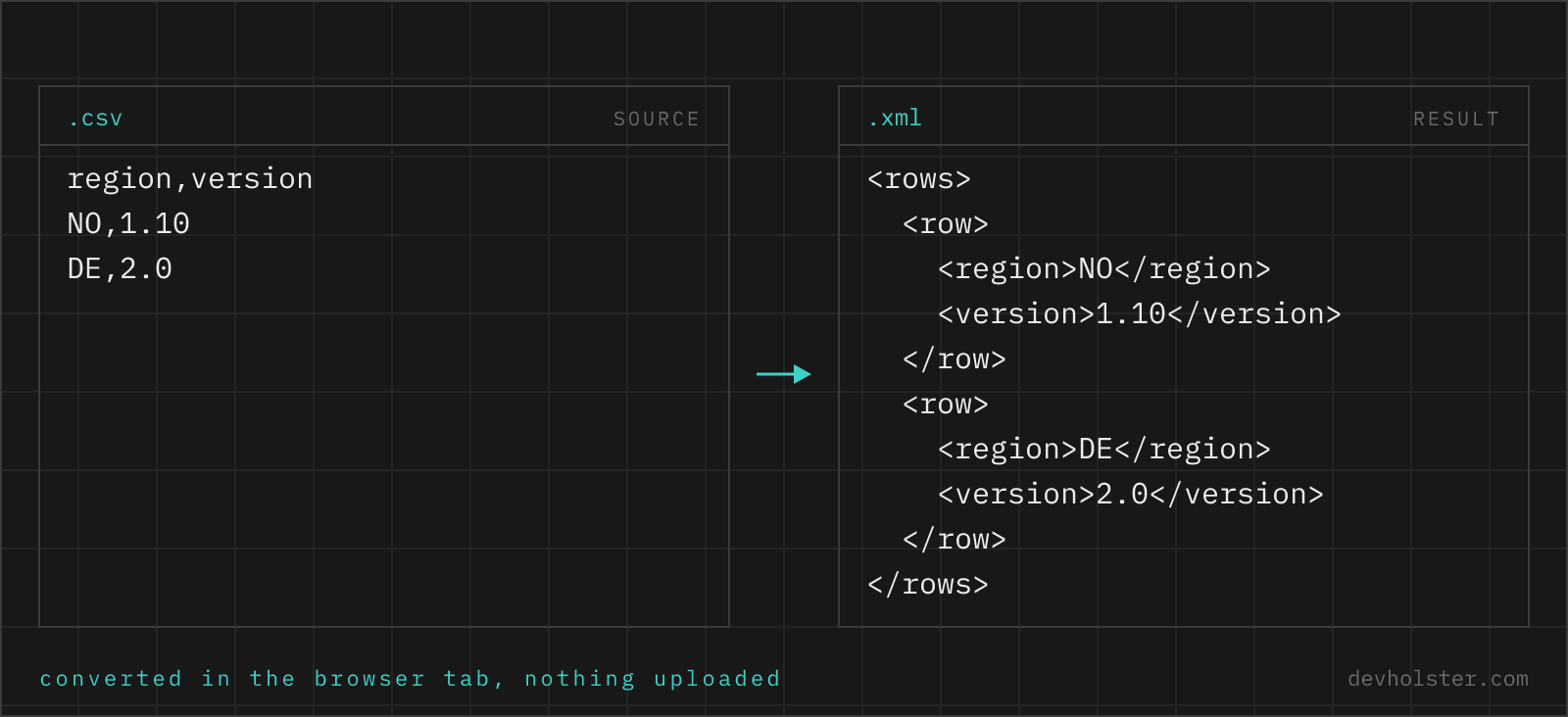
| each data row | one <row> element (or your name) |
| each cell | a child element named after its header |
contact.email header | <contact><email> with --nested |
| empty cell | empty element <note></note> |
This root/record/field shape is the one every XML consumer anticipates and the one XPath queries write themselves against (//product/sku). Values stay text, which is what XML content is; there is no number formatting to argue about. If the destination requires attributes rather than child elements for certain fields, that is a schema-specific transformation to apply downstream, typically a five-line XSLT.
Column headers into legal tag names
XML names are stricter than CSV headers: no spaces, no leading digit, a limited character set. Real headers contain all of it, in stock, 2023 revenue, price (EUR). The converter sanitizes each header into a legal name, replacing illegal characters with underscores and prefixing names that start with a digit: in_stock, _2023_revenue, price__EUR_. The transformation is visible in the output immediately, so a name the consumer will not accept is caught while you can still rename the column.
Sanitizing is unavoidable, but relying on it is optional: the cleanest results come from renaming headers to their target element names before converting, at which point the converter changes nothing and the mapping is explicit in your source file.
Escaping, empty cells and line breaks
Five characters cannot appear raw in XML content, and the converter escapes them everywhere they occur: & becomes &, < becomes <, with >, quotes and apostrophes handled per context. This is the failure mode that kills hand-rolled conversions, because Smith & Sons appears in row 40,000 of a file someone tested with row 1.
Empty cells become empty elements rather than omitted ones, keeping every record structurally identical, which schema validation and position-based consumers prefer. Line breaks inside quoted cells survive as literal newlines in the element content, legal in XML and preserved by parsers. If the destination pipeline treats whitespace as significant markup formatting, turn --pretty off and ship the single-line form, where the only newlines are the ones your data actually contains.
Online tool vs. scripting it
A feed that regenerates nightly belongs in a script: the ElementTree recipe above, PowerShell's ConvertTo-Xml, or an XSLT step if the target schema is elaborate. Scripts version, schedule and never mistype.
For the one-shot delivery and the migration seed file, the browser is quicker: delimiter detected, names sanitized, escaping guaranteed, structure visible live while you adjust root and row names to what the consumer's example shows. The rows are processed entirely in this tab, nothing uploads, and for a price list that is confidential until launch day, that property is the point.
XML output questions
How do I convert CSV to XML in Python?
csv.DictReader plus xml.etree.ElementTree, about ten lines: build a root Element, then for each row a SubElement per field with the cell as .text, and ElementTree(root).write("out.xml", encoding="unicode", xml_declaration=True). ElementTree escapes &, < and > for you, which is the part naive string-concatenation scripts get wrong. The one thing to add by hand is sanitizing header names that are not legal tag names, spaces being the usual offender.
How do I convert CSV to XML with PowerShell or on the command line?
PowerShell: Import-Csv data.csv | ConvertTo-Xml -As String -NoTypeInformation, which wraps each row in generic <Object><Property Name="…"> elements, verbose but valid, and fine when the consumer just needs well-formed XML. For named elements you write the loop yourself over Import-Csv. On Linux, the Go yq does yq -p=csv -o=xml data.csv with column names as element names. Both choke silently on header names with spaces; rename columns first.
How do I export Excel data as XML?
Excel's own XML export (the Developer-tab XML Maps feature) needs a schema mapped first and most people abandon it there. The practical route is Save As CSV, then CSV to XML with a converter, which needs no schema and takes a minute. Watch the CSV step on non-English systems: Excel writes semicolons as the delimiter and Windows-1252 as the encoding, so use a converter that detects the delimiter, and export as "CSV UTF-8" where offered.
Do I need an XSD schema to create XML from CSV?
No. Well-formed XML needs no schema at all, and most consumers (feed readers, import endpoints, transformation pipelines) only require well-formedness plus the element names they document. An XSD becomes relevant when the receiving system validates against one, typically SOAP services and enterprise B2B interfaces; in that case the schema dictates the element names, their order and their nesting, and you shape the CSV headers to produce exactly those names. Generate first, validate against the XSD second, fix the headers, repeat.
What XML structure should a CSV file become?
The de facto convention is a root element wrapping one element per row, with one child element per column: <rows><row><sku>…</sku></row></rows>. It round-trips cleanly, streams well and every XML consumer understands it. The design decision left to you is naming (records/record, products/product) and whether short values belong in attributes instead of child elements. Prefer child elements unless the consumer requires attributes: they can hold line breaks, repeat, and survive later structural changes; attributes cannot.
Should CSV values become XML attributes or child elements?
Child elements by default, attributes only when the receiving format says so. The XML community argued this for a decade and the practical rules that came out: attributes cannot contain line breaks in a readable way, cannot repeat, and lock you in when a value later grows structure. Row data from a CSV can contain all of that, notes columns especially. Attributes shine for metadata about the element (an id, a unit); if your consumer's DTD or examples show attributes, mirror them, otherwise elements keep every option open.
What is xsi:nil and when should I use it?
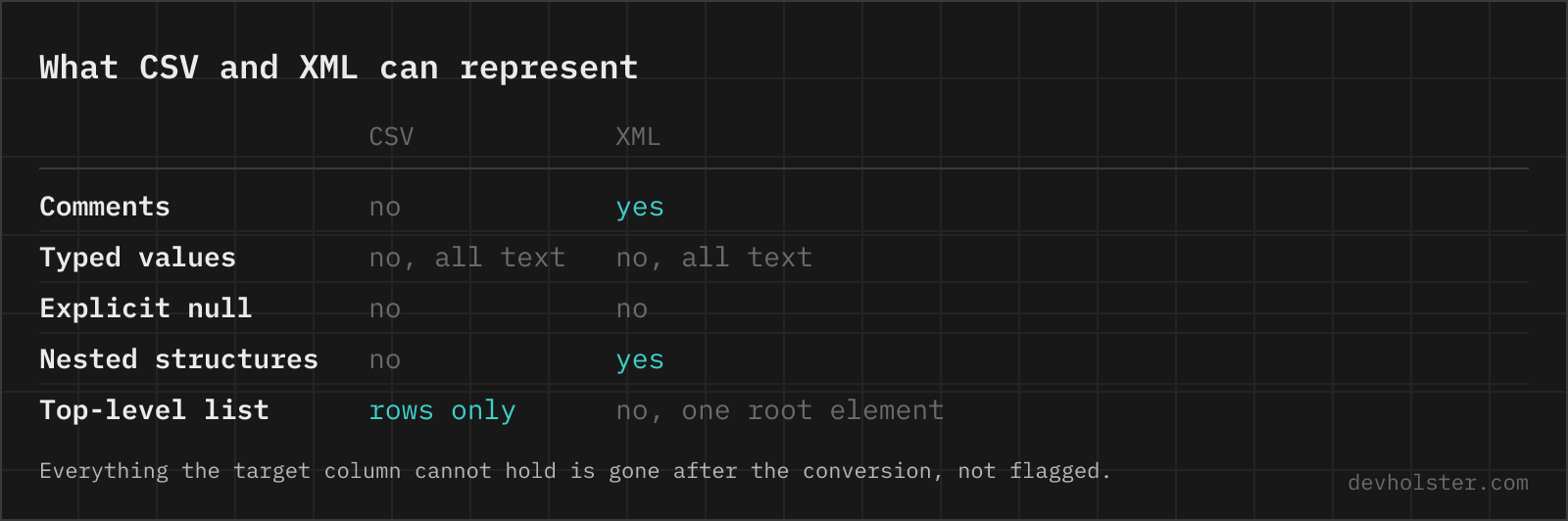
xsi:nil="true" is XML Schema's way to say a value is explicitly null rather than merely empty: <price xsi:nil="true"/> against <price/>, which just means empty string. The distinction only matters when the consumer validates against a schema that declares the element nillable, and typed bindings (JAXB, .NET DataSets) map it to real null. Outside schema-validated pipelines nobody checks it, and an empty or omitted element is the normal way to write a missing value. If you need it, it has to be added by transformation; converters produce plain empty elements.
Why does my generated XML fail in the consuming system even though it is well-formed?
Because well-formed only means the syntax is legal; consumers check names and structure on top. The usual mismatches after a CSV conversion: element names differ from what the endpoint documents (case matters in XML), fields arrive in a different order than the XSD demands (sequence validation cares), a namespace is required and missing, or the consumer expected attributes where you sent child elements. Read the consumer's error, compare one generated record against one documented example, and adjust the headers or the root/row names to match.