Why convert XML to CSV at all
XML is the format of exports and interfaces that predate JSON: order histories, product catalogs, SOAP responses, RSS feeds, the yearly dump from some ERP system. The people who need that data, accounting, product, whoever asked for the export, work in spreadsheets and pivot tables. CSV is the handover format, and the conversion is the step nobody's toolchain covers, because text editors do not understand XML and Excel's own XML import gives up on anything irregular.
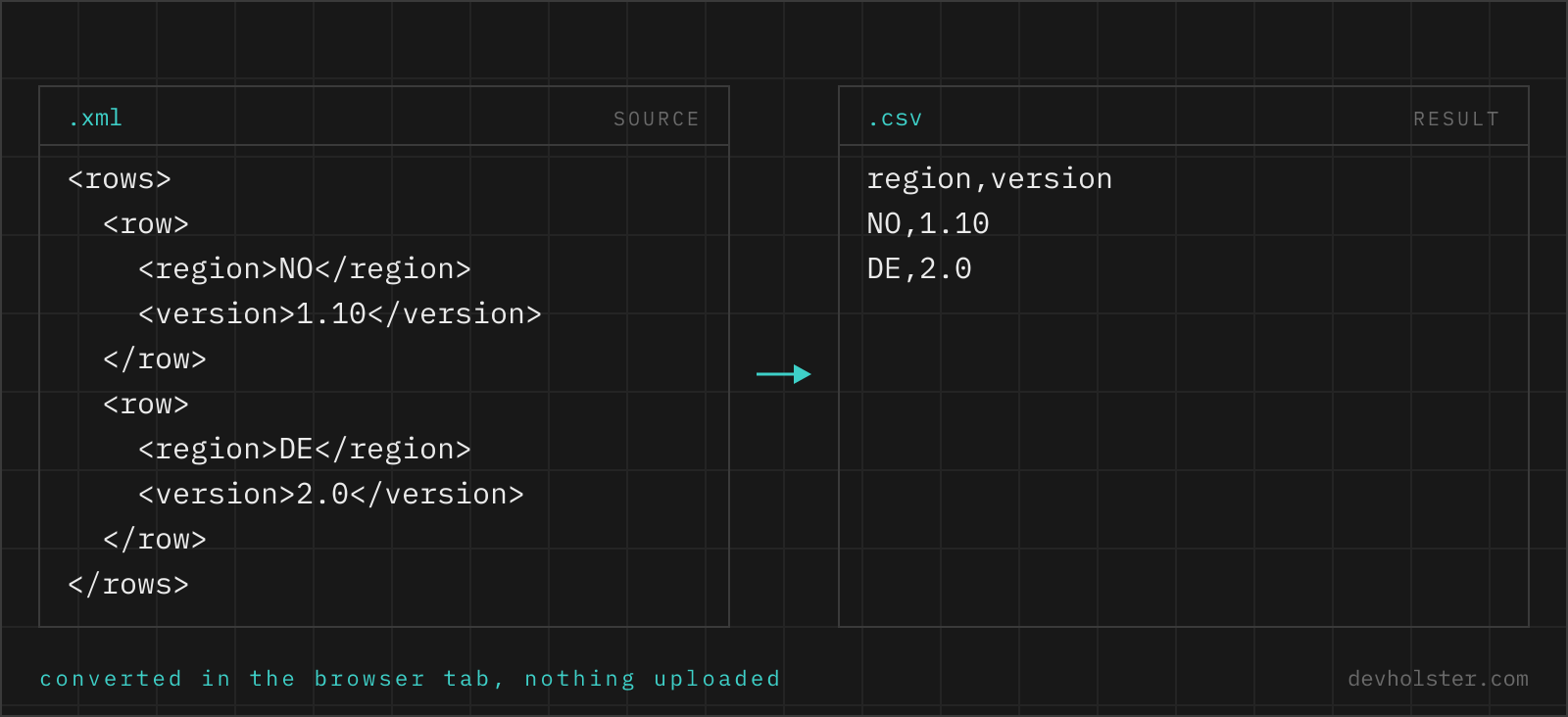
Structurally the job is a projection: an XML export is a list of similar records inside an envelope, and the table was always in there. The work is finding the record element, turning its children and attributes into columns, and not losing data in the corners, which is exactly the part worth automating.
How to use this converter
- Paste or drop your XML. Well-formedness errors show inline with line and column, so a truncated export is caught before it becomes a half-empty table.
- Check the note under the output. It names the path of the repeated element used as rows,
$.orders.orderfor example, and the row count next to it. Wrong element means restructure or extract before converting. - Copy or download. The download carries a UTF-8 BOM so umlauts survive an Excel double-click.
--keep-attributes
On by default: attributes become @_ prefixed columns. Off, they are dropped and only element content remains, for consumers that never look at attributes.
--flatten
On by default: nested elements become dot-path columns (total.#text, customer.address.city). Off, a nested structure is serialized as JSON into a single cell.
--header / --semicolon
Header row on or off, and ; as delimiter for Excel on German-locale systems, with quoting recalculated for the delimiter in use.
Which element becomes the rows
The converter parses the document and uses the largest set of repeated sibling elements as the record list, wherever it sits in the tree. In an order export that is $.orders.order, in an RSS feed $.rss.channel.item, in a SOAP response usually something three envelopes deep, and the note under the output names the path it chose, so the decision is visible instead of guessed silently.
Everything above the record element is envelope: channel metadata, export timestamps, namespace declarations. It is ignored rather than repeated into every row, because a generated_at repeated 5000 times is not data. A document with no repeated element at all converts to a single row of its flattened content, which covers flat key/value property files.
One consequence of XML's design is worth knowing: a single <item> is structurally identical to a list of one, so a one-record export produces one row, and tools that infer arrays from repetition (this one included) only see a list when at least two siblings share a name. The row count in the stats bar makes a wrong guess obvious.
Attributes, text content and nested elements
| XML | CSV column |
|---|---|
<order id="A-1042"> | @_id |
<customer>Ada</customer> | customer |
<total currency="EUR">118.30</total> | total.#text and total.@_currency |
<address><city>…</city></address> | address.city |
| element present in some records only | column exists, other cells empty |
The @_ and #text conventions come from the parser layer and match our XML to JSON converter, so the column names here and the keys there line up when both tools process the same file. The column set is the union across all records in first-seen order; uneven records produce empty cells, not errors.
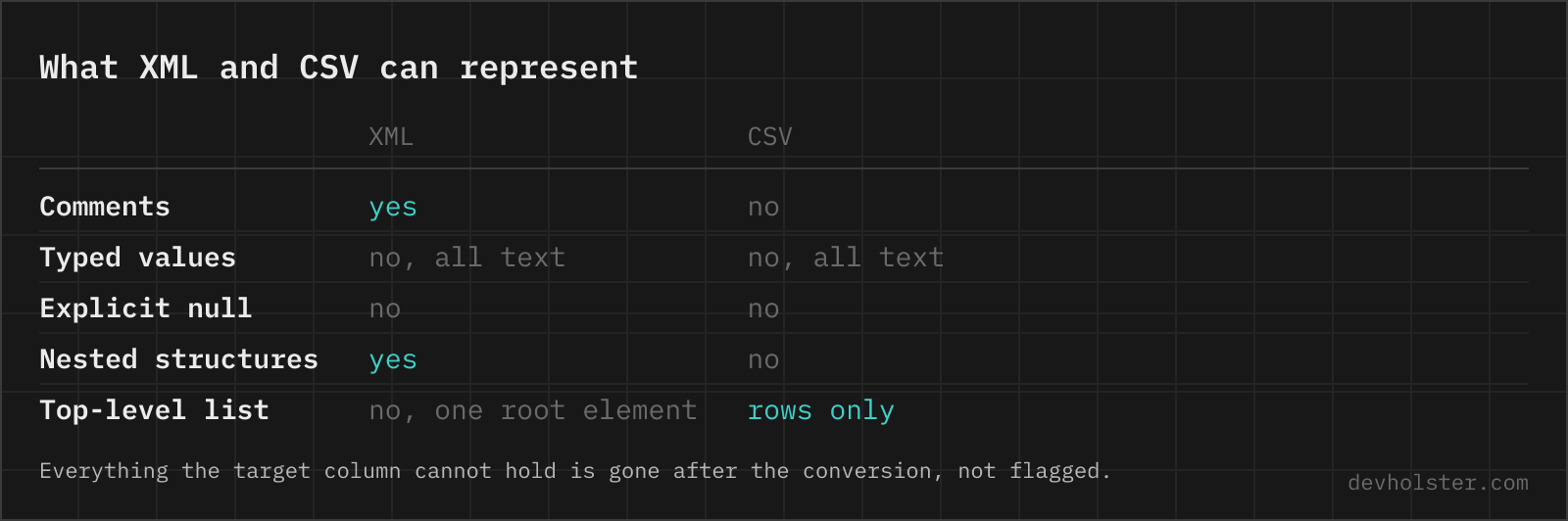
Values are kept as text by default, which for CSV is the honest choice: the target format has no types, and premature number-parsing turns an order number 007421 into 7421 before Excel even gets a chance to. Entities arrive decoded (& is & in the cell), CDATA content is used as the text it wraps, and comments are skipped.
Getting the result into Excel without damage
The file this tool downloads opens correctly on double-click in the common cases, because two locale traps are pre-handled: the UTF-8 BOM keeps umlauts and accents intact, and --semicolon produces the delimiter German-locale Excel insists on. If a colleague reports the classic one-column view, the delimiter is the mismatch to check first.
What no CSV can prevent is Excel's type coercion on open: 16-digit IDs get rounded, leading zeros vanish, and 1-2 becomes the first of February. XML exports are full of exactly such values in id attributes. When they matter, import via Data → From Text/CSV and set those columns to text, or go straight to a typed workbook with the CSV to Excel converter, which protects them by default.
Online tool vs. Python and xmlstarlet
Recurring exports belong in a script: pd.read_xml with an explicit XPath, or an xmlstarlet sel line in cron. A script pins the record element and column list, which is what you want when the same feed arrives weekly.
The one-off is where the browser wins: no XPath to compose, the record element found and named for you, attributes handled without flags, and the output visible live while the file still has problems. The document is parsed entirely in this tab, so an export full of customer rows stays on your machine, which for this particular file type is not a nicety but the requirement.
Flattening XML into rows
How do I convert XML to CSV in Excel?
Recent Excel does it through Power Query: Data → Get Data → From File → From XML, pick the table Power Query detects, then Load. Excel expands one repeated element into rows; attributes and nested elements appear as expandable columns you have to click open. The older Developer-tab XML import needs an XSD-style structure and fails on irregular files. When Power Query flattens the wrong element or the machine has an older Excel, converting to CSV first and opening that is the reliable path.
How do I convert XML to CSV in Python?
pandas does it in two lines since 1.3: pd.read_xml("data.xml", xpath=".//order").to_csv("out.csv", index=False). The xpath argument selects the repeated element that becomes the rows; attributes and child elements both become columns. read_xml handles flat records well but does not recurse into deeper nesting, and grandchildren end up as NaN columns. For those files, parse with xml.etree.ElementTree and flatten explicitly, or convert with a tool that does dot-path flattening.
How do I convert XML to CSV on the command line?
xmlstarlet is the classic: xmlstarlet sel -t -m "//order" -v "@id" -o "," -v "customer" -n data.xml emits one line per order element with the fields you list. It is precise and scriptable, and entirely manual: every column is a flag, quoting is your problem (add -e or post-process), and the command grows with the schema. The Go yq reads XML too (yq -p=xml -o=csv), with less control over which level becomes the rows. For repeated jobs, script it; for one file, a converter is faster than getting the XPath right.
How does an XML tree map to rows and columns?
One repeated element becomes the rows: every <order> in an export, every <item> in a feed. Its children and attributes become the columns, and everything above it (envelope, metadata, channel headers) is context that no row needs repeated. That model covers exports, feeds and API responses, which are lists wearing an XML envelope. What it cannot cover is a document where structure is the content, a DocBook chapter or an XHTML page; those have no meaningful row unit, and no converter produces a useful table from them.
What happens to XML attributes when converting to CSV?
They become columns like child elements do, prefixed to stay distinguishable: an <order id="A-1042"> contributes an @_id column next to the columns from its children. The prefix matters because XML allows an attribute and a child element with the same name on one element. When an element carries both an attribute and text content (<total currency="EUR">118.30</total>), the text needs its own column too, which is what a total.#text column is. Converters that silently drop attributes lose the IDs, which are the one thing exports reliably put there.
Why does my XML to CSV output have empty cells everywhere?
Because the records are uneven: optional elements exist in some records and not others, and the column set is the union of everything seen. A <discount> element present on 3 of 200 orders creates a discount column with 197 empty cells, which is correct, only sparse-looking. The alternative, dropping columns that are not universal, silently loses data. If the sparseness is wrong rather than expected, it usually means sibling elements of different types got mixed into one record list, and the record element one level down is the one you wanted.
How do I get an RSS or Atom feed into a spreadsheet?
Fetch the feed file, convert its item list to CSV, done: in RSS the rows are the <item> elements under channel, in Atom the <entry> elements. The columns worth keeping are title, link, pubDate/updated and guid/id; description often carries HTML markup, which survives as text in one quoted cell but reads badly in a sheet. Feeds are the friendliest XML-to-CSV case there is, the record element is standardized, so any converter that finds repeated elements handles them without configuration.
Is it safe to convert an XML export with customer data in an online tool?
Only if the conversion runs in your browser, and XML exports deserve the caution: CRM dumps, order histories and SOAP payloads carry names, addresses and account numbers, exactly the data that must not appear in a random server's request log. Uploaded content is out of your control regardless of what the site promises. This converter parses and converts entirely in the tab, nothing is transmitted, and the page keeps working offline. For any tool, the test is the devtools Network tab while converting a dummy file.