Why convert CSV to a Markdown table
Data lives in CSV; explanations live in Markdown. READMEs, pull-request descriptions, issue reports, wikis, ADRs, all of them are Markdown files that regularly need a small table: benchmark numbers, feature comparisons, config matrices, dependency lists. Typing the pipe syntax by hand is fiddly enough that most people either misalign it, forget the mandatory delimiter row, or give up and paste a screenshot, the worst of all options for reviewers and search.
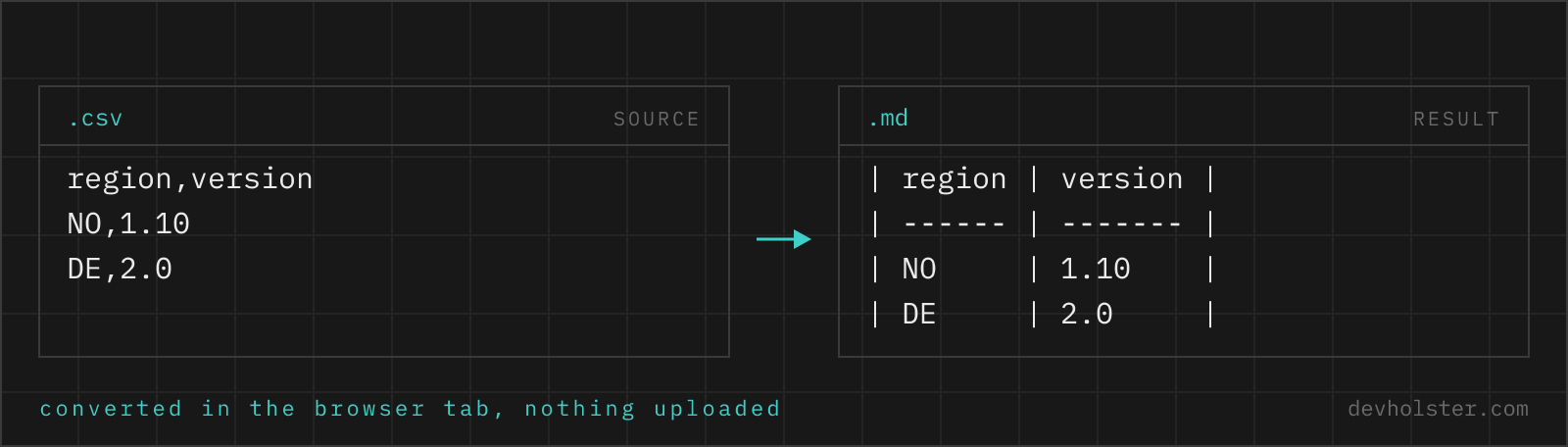
The conversion is mechanical, which is precisely why a tool should do it: delimiters become pipes, the first row grows a dash line beneath it, pipes in the data get escaped, and if you want it readable in source form, every column gets padded to a common width. Ten seconds here replaces the least enjoyable five minutes of writing documentation.
How to use this converter
Paste CSV into the left pane, or drop a .csv file on it, and the Markdown appears on the right while you type. Data copied from Excel or Google Sheets pastes directly, since the clipboard arrives tab-separated and the delimiter detection covers tabs.
- Paste or drop your data. The first row becomes the table header; GFM tables always have one.
- Check the preview numbers. The strip under the panes shows the row count; the output is valid GFM regardless of what your renderer does with it.
- Copy into your document. The table needs a blank line above and below it in the Markdown file to render.
--align-numbers
On by default: columns whose data cells are all numeric get the ---: right-alignment marker and are padded from the left, so digits line up by place value. Mixed columns and text stay left-aligned. Turn it off for uniformly left-aligned tables.
--compact
Skips the width padding and emits minimal --- delimiter cells. The rendered result is identical; the source is smaller but harder to read. Useful when the Markdown is machine-delivered rather than human-maintained.
How Markdown tables work, in one minute
GitHub-flavored Markdown defines a table as: a header row, a delimiter row of dashes, then body rows, cells separated by pipes.
| Element | Syntax | Rule |
|---|---|---|
| Header row | | package | size | | Always present; GFM has no headerless tables |
| Delimiter row | | --- | ---: | | Mandatory; at least three dashes per cell is the convention |
| Body rows | | react | 6.4 | | One line per row, no line breaks inside |
| Literal pipe | \| | Escaped so it does not end the cell |
| Line break in a cell | <br> | HTML fallback, rendered by GitHub |
The outer pipes at line start and end are optional in the spec, but this converter always writes them: they make the table unambiguous for renderers with partial GFM support and easier to scan in source. A blank line before and after the table is required by most renderers; the table cannot butt directly against a paragraph.
Alignment and padding, the readable-source details
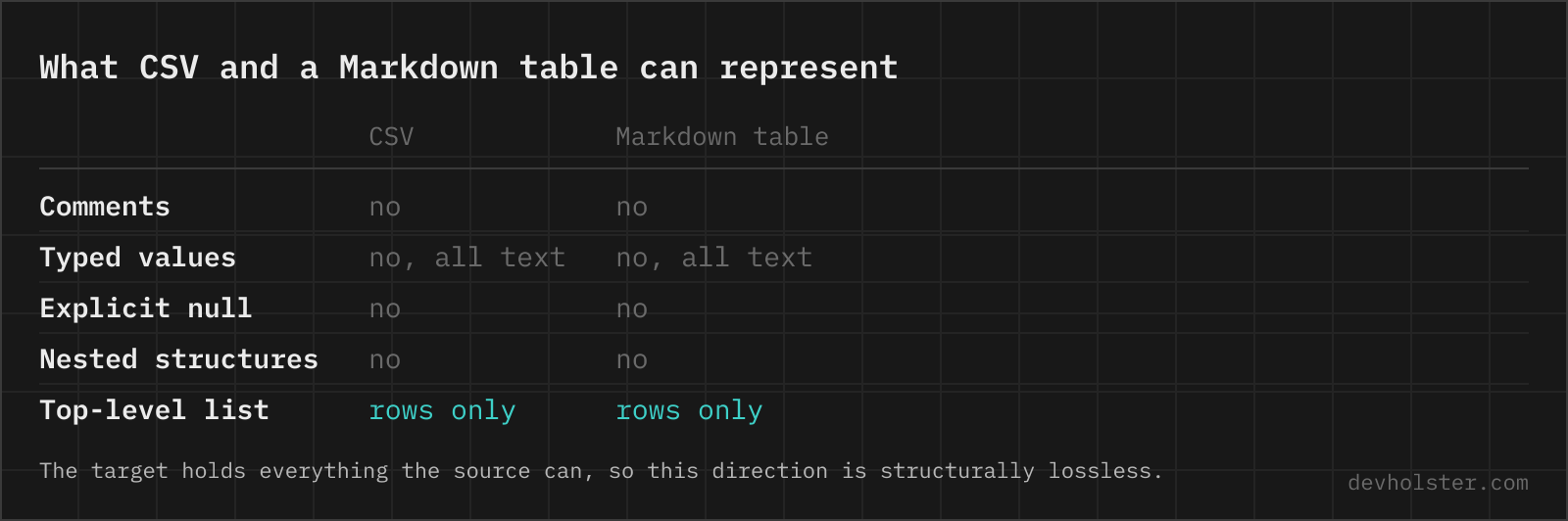
Two things separate a generated table you enjoy maintaining from one you dread. The first is alignment done semantically: numbers right-aligned so magnitudes are comparable at a glance, text left-aligned. This converter detects numeric columns (every body cell parses as a number, empty cells allowed) and sets ---: on exactly those. The detection uses the same lossless rule as our CSV to JSON tool, so a column of version strings like 1.10 counts as text, not numbers.
The second is source padding. GFM renderers collapse cell whitespace, so | react | 6.4 | and a version padded to column width render identically, but only one of them is reviewable in a diff. Since documentation tables live in git, we pad by default and right-pad versus left-pad according to the column's alignment, which keeps even the raw text lined up like the rendered result.
Where Markdown tables render, and where they do not
Reliable: GitHub and GitLab (READMEs, issues, PRs, wikis), Bitbucket, VS Code's Markdown preview, our Markdown to HTML converter, Obsidian, Typora, Jupyter notebooks, Docusaurus, Hugo, Jekyll and essentially every static site generator with GFM enabled. Notion converts pasted Markdown tables into native tables. Pandoc reads them and can carry them into Word or LaTeX documents.
Unreliable to absent: chat tools. Slack and WhatsApp render no tables; Discord's plain messages show the pipes literally. Classic reddit Markdown supports tables, but several mobile clients mangle wide ones. For chat destinations, wrap the padded table in a fenced code block: it will not render as a table, but the padding keeps the columns aligned in monospace, which reads nearly as well.
What Markdown tables cannot do
- No merged cells. There is no colspan or rowspan in GFM. Data that needs them (grouped headers, spanning totals) needs an HTML
<table>instead; our CSV to HTML Table tool is the right exit. - No headerless tables. The delimiter row forces a header. If your data has none, the first data row will be promoted; add a header row in the CSV first.
- No block content in cells. Lists, code fences and paragraphs do not nest inside table cells; only inline formatting (bold, code spans, links) and
<br>work. - Column count is fixed by the delimiter row. Rows with extra cells get them silently dropped by GitHub's renderer. This converter prevents the problem by padding every row to the full column count before writing.
Markdown table questions
Is it safe to paste internal data into an online converter?
Only into one that converts in your browser. Benchmark results, config comparisons and internal metrics are ordinary inputs here, and an upload-based tool stores every one of them on a server you do not control. The conversion runs here as JavaScript inside your tab, with nothing uploaded or logged, and the page works offline. For any other tool, check the Network tab in devtools with a dummy file before you paste anything real.
How do I make a Markdown table from CSV or Excel data?
Copy the cells and let a converter build the syntax, because the delimiter row and the pipe escaping are what people get wrong by hand. Excel and Google Sheets put tab-separated text on the clipboard, so pasting a selection straight into a converter works without saving a file first. In VS Code, the Markdown Table extension or Ctrl+Shift+P → "Format Document" tidies a table you have already written; in a terminal, csvlook from csvkit prints something close but not GFM-valid. Whatever you use, the first row becomes the header, since a GitHub-flavored Markdown table cannot exist without one.
What does the row of dashes in a Markdown table mean?
It is the delimiter row that separates the header from the body, and it is mandatory: without a line like | --- | --- | after the first row, GitHub renders your pipes as plain text instead of a table. It also carries the alignment: a colon on the right (---:) right-aligns the column, colons on both sides (:---:) center it, and no colon left-aligns, the default.
How do I right-align numbers in a Markdown table?
Put a colon at the right end of that column’s delimiter cell, ---: instead of ---. This converter does it for you: with --align-numbers on, every column whose body cells are all numeric gets right-aligned automatically, which is how numbers belong in tables, digits lined up by place value. Renderers that honour GFM alignment (GitHub, GitLab, VS Code preview) display it; renderers that ignore alignment still show a correct table.
What if a value contains the pipe character?
It gets escaped as \| so it stays literal text instead of ending the cell. That is the GFM-specified escape and the one edge case every hand-written table gets wrong eventually. Inside code spans in a table cell the backslash escape is also the only way; HTML entities like | work too, but the backslash is what this converter emits because every GFM renderer reads it.
Can a Markdown table cell contain multiple lines?
Not literally: the table syntax is line-based, so a real line break ends the row. The workaround is an HTML <br> inside the cell, which GitHub and most renderers accept, and it is what this converter emits for line breaks inside your CSV cells. For anything genuinely multi-paragraph, a table is the wrong container in Markdown; consider a definition list or separate sections.
Do Markdown tables work in Discord, Slack, or WhatsApp?
Mostly no. Discord renders tables only in specific surfaces (like forum previews) and plain chat messages show the pipes literally; Slack and WhatsApp do not render Markdown tables at all. Tables work reliably on GitHub, GitLab, Bitbucket, in VS Code preview, Obsidian, Notion (on paste), Jupyter, and most static site generators. For chat, a code block containing the aligned table keeps the columns readable, which is one reason this converter pads cells.
How do I merge cells or span columns in a Markdown table?
You cannot, in any standard flavour. GitHub-flavored Markdown tables are strictly rectangular: one header row, one delimiter row, and body rows with the same number of cells, with no colspan, no rowspan, no nested tables and no multi-row headers. The three ways out, in order of how much we like them: write a raw HTML table instead, which GitHub renders in READMEs and issues (though not in every Markdown consumer, and not on npmjs.com); repeat the value in each cell and let the reader group visually; or split one wide table into two narrower ones. Some renderers add extensions for merged cells, but a table that only renders in your own toolchain defeats the point of Markdown.
Is there a limit to how big a Markdown table should be?
Technically no, practically yes. GitHub renders thousand-row tables, but reviewers scroll past them and diffs become useless. Our experience: beyond roughly 50 rows or 8 columns, a table in documentation stops being read; link to the CSV as a file instead and keep a digest table of the interesting rows. This converter will happily produce either, the judgment stays with you.