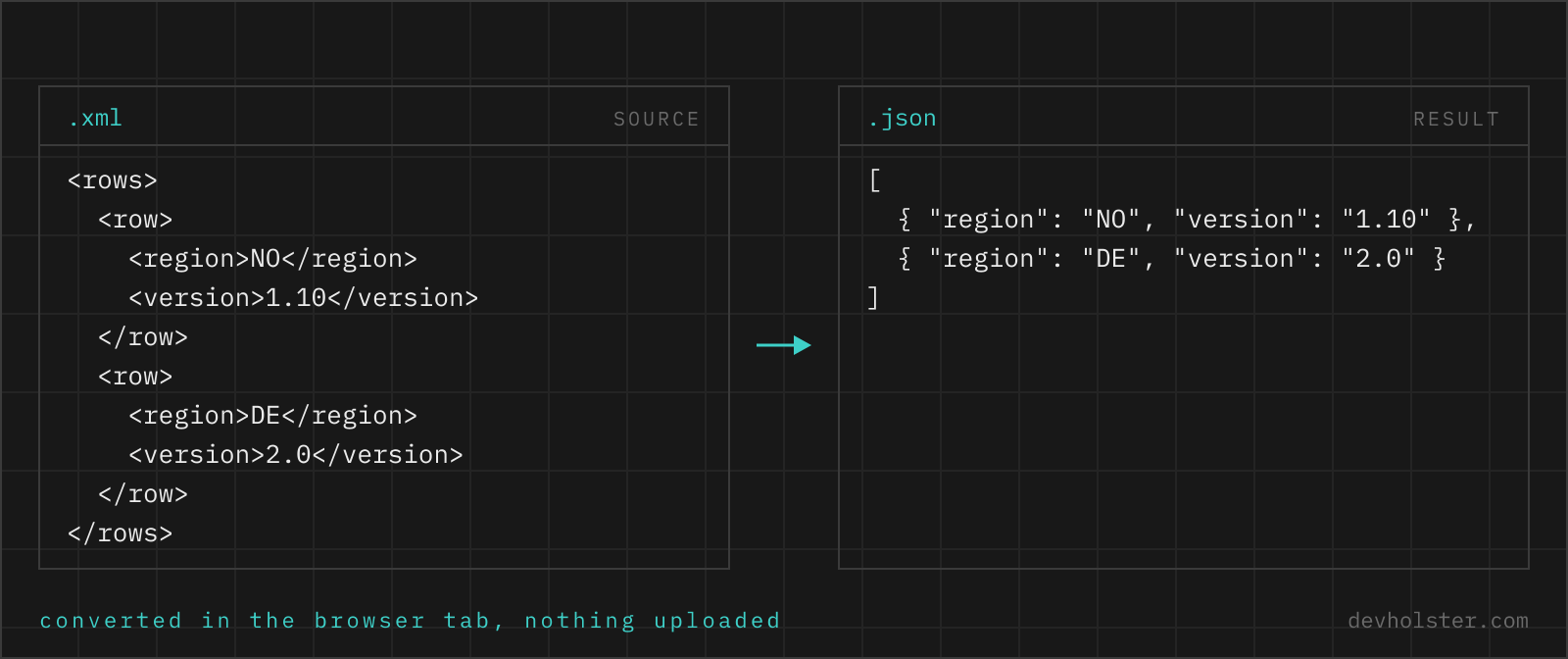
What to expect when turning XML into JSON: how elements, attributes and text nodes map onto objects, why single-element lists are the classic trap, when automatic number parsing helps and when it corrupts your data, and which XML features have no JSON equivalent.
Why convert XML to JSON
XML is where enterprise data lives; JSON is where you want to work with it. Legacy SOAP services, RSS and Atom feeds, sitemap files, invoice formats, DATEV and SEPA exports, Maven and NuGet metadata: all XML, all still in daily production use. The moment that data needs to enter a JavaScript application, a REST API, a jq pipeline or a document database, it needs to become JSON first.
The other recurring use is inspection. Deeply nested XML with namespaces is hard to read; the same data as indented JSON is compact and jumps to the eye. Converting a gnarly SOAP response just to understand its structure is a legitimate workflow, and with this tool it costs one paste.
How to use this converter
Paste XML on the left or drop an .xml file onto the pane. The JSON updates as you type; validation runs first, so malformed XML gives you the error and its line number instead of half-converted output.
- Paste or drop the XML. Documents with declarations, namespaces, attributes and CDATA all parse.
- Pick your options. The three flags below decide how attributes and numbers are treated; the defaults suit most data.
- Copy or download. The output saves as a
.jsonfile.
--keep-attributes
On by default: attributes appear as @_-prefixed keys. Off strips attributes entirely, which produces friendlier JSON when the attributes are noise (generator metadata, schema locations) rather than data.
--parse-numbers
On by default: text that spells a number becomes a JSON number. See the section below for when to switch this off; identifiers with leading zeros are the classic case.
--pretty
Two-space indentation, on by default. Off gives single-line JSON for request bodies and environment variables.
How XML constructs map to JSON
| XML | JSON |
|---|---|
<title>Dune</title> | "title": "Dune" |
<book><title>…</title></book> | "book": {"title": …} |
<tag>a</tag><tag>b</tag> | "tag": ["a", "b"] |
<book id="7"> | "book": {"@_id": 7, …} |
<price currency="EUR">39.90</price> | "price": {"@_currency": "EUR", "#text": 39.9} |
<note/> | "note": "" |
<![CDATA[a < b]]> | "a < b" |
<!-- comment --> | dropped |
The rules compose: an element with children becomes an object, repeated children become arrays, attributes ride along as @_ keys, and pure text elements collapse to their value. The sample file demonstrates every row of this table in eight lines of XML.
The single-element array problem
This is the one conversion behaviour that reliably causes production bugs, so it deserves its own section. XML has no list syntax; a list is just an element that happens to repeat. A converter therefore cannot know that <item> is conceptually a list until it sees two of them. The consequence: an order with three items gives you "item": [ … , … , … ], and the same query returning one item gives you "item": {…}, an object, not a one-element array.
Code written against the array shape works in every test with multi-item data and falls over on the first single-item order in production. The fix belongs in the consuming code, one line in JavaScript: const items = [].concat(order.item), or Array.isArray(x) ? x : [x] spelled out. If you control the pipeline end to end and know which paths are lists, normalising right after conversion is the cleanest place to do it. Treat every converted XML list as "array or single object" until proven otherwise.
Attributes, text nodes and the @_ convention
JSON has one kind of key-value pair; XML has two value carriers per element, attributes and content. To keep both without collisions, this converter prefixes attribute keys with @_ and stores element text under #text when attributes force the element to become an object. Simple text-only elements stay simple: <title>Dune</title> is just "title": "Dune", no ceremony.
The same convention drives our JSON to XML converter in reverse, so the pair round-trips: convert an XML document to JSON, edit values, convert back, and attributes return to being attributes. If the @_ keys bother the consumer, remember you can turn attributes off entirely, losing them is fine for many feeds where attributes only carry schema housekeeping.
Number parsing: convenience with sharp edges
With --parse-numbers on, the text 42 becomes the JSON number 42, and data like quantities, prices and coordinates arrive ready to compute with. The sharp edges appear when digit strings are not numbers:
- Leading zeros. A customer number
0042becomes42; a German phone prefix0170becomes170. The zeros are unrecoverable. - Trailing zeros in decimals.
39.90becomes39.9. Same value numerically, different text, which matters when a downstream system compares strings. - Very long digit strings. An ID with more than 15-16 digits exceeds JavaScript's safe integer range and loses precision silently.
The rule of thumb: computing with the values → leave parsing on; identifiers, codes and money as text → switch it off and convert the few genuinely numeric fields in your own code, where you know which is which.
What gets dropped, and why that is correct
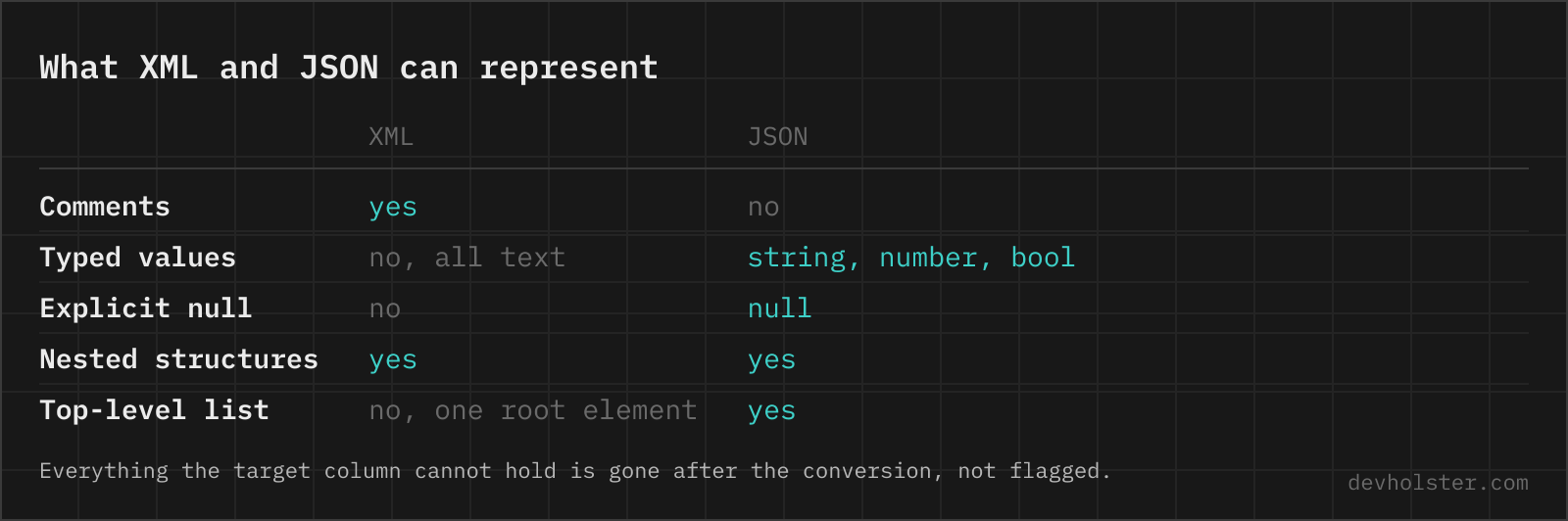
A few XML features have no JSON home, and a converter has to drop rather than mangle them:
- Comments disappear; JSON has no comment syntax.
- Processing instructions (
<?xml-stylesheet …?>) and the XML declaration are metadata about the document file, not data, and are omitted. - DOCTYPE declarations and entity definitions are not carried over. Standard entities (
&,<and friends) are of course resolved into their characters first. - Element order across different tag names is not representable: a JSON object keyed by tag name cannot express that
<b>came before<a>. Within one repeated tag, order is preserved by the array. - Mixed content interleaving (prose with inline markup) loses its exact text/element ordering, as covered in the FAQ. Data-oriented XML is unaffected.
If your document leans on any of these, the honest answer is that JSON is the wrong target for it, and the file is better processed with XPath or an XML library. For records, exports, feeds and configs, which is what people actually convert, none of them apply.
XML to JSON questions
Is it safe to paste sensitive XML exports into an online converter?
Only into one that parses in your browser. The documents people convert are invoices, patient records, bank statements and CRM dumps, which is the material an upload-based tool has no business receiving and your compliance officer has every reason to ask about. Parsing runs here as JavaScript inside your tab, with no upload and no logging, and it keeps working offline, which suits the air-gapped environments where enterprise XML tends to live. Verify any tool the same way: Network tab open, convert a harmless document, watch for requests.
How do I convert an XML file to JSON?
In Python, xmltodict.parse(xml) gives you a dict in one call and matches what most converters produce, attributes prefixed with @ and text under #text. In Node.js, fast-xml-parser is the usual choice and is what runs on this page. On the shell, xq (part of yq) wraps the same idea: xq . file.xml. In C# and Java the built-in XML APIs plus a JSON serialiser do it without a dependency. Whichever you use, the hard part is not the call, it is that XML has attributes, namespaces and repeated siblings while JSON has none of those concepts, so every converter invents conventions for them. Check how yours marks attributes and whether a single repeated element becomes an array before you build on the output.
How are XML attributes represented in the JSON output?
As keys prefixed with @_ on the element’s object: <book id="bk-101"> becomes {"book": {"@_id": "bk-101", …}}. The prefix keeps attributes distinguishable from child elements with the same name. If you do not need attributes at all, switch off --keep-attributes and they are omitted entirely.
Why is my repeated element sometimes an array and sometimes an object?
Because XML expresses lists as repeated sibling tags, a converter only knows an element is a list when it sees it repeat. Two <book> siblings become an array; a document with one <book> gives you a plain object. Code consuming the JSON should normalise the value (wrap non-arrays in an array) before iterating: it is the standard defensive move after any XML to JSON conversion.
What happens to text content when an element also has attributes?
The text moves into a #text key beside the attribute keys: <price currency="EUR">39.90</price> becomes {"price": {"@_currency": "EUR", "#text": 39.9}}. Without attributes, the element collapses to its text directly ({"price": 39.9}), which is the shape people expect from simple elements.
Why did 39.90 turn into 39.9 in the JSON?
Because --parse-numbers is on and JSON numbers do not keep trailing zeros: the text 39.90 becomes the number 39.9. For prices, invoice IDs, phone numbers and zip codes, that normalisation (or losing a leading zero, 0042 becoming 42) is often unwanted. Switch off --parse-numbers and every value stays a string exactly as written in the XML.
Does the converter handle XML namespaces?
Prefixes are kept as part of the key name: <soap:Body> becomes the key "soap:Body". The converter does not resolve namespace URIs or strip prefixes, because either would silently merge elements that a namespace-aware consumer considers distinct. If you want prefix-free keys, rename them in a post-processing step where you can decide about collisions.
What happens to CDATA sections?
Their content arrives as ordinary string data. CDATA is only an escaping convenience in XML (a way to write < and & without entities), so <![CDATA[a < b]]> and a < b produce the identical JSON string "a < b". The CDATA wrapper itself is not represented, and does not need to be.
Are XML comments and processing instructions preserved?
No. JSON has no comment syntax, so <!-- … --> blocks are dropped, and processing instructions like <?xml-stylesheet …?> are omitted as well. If a comment carries data the consumer needs, that data belongs in an element or attribute before conversion.
Can I convert SOAP responses or RSS feeds with this tool?
Yes, both are just XML. A SOAP envelope converts with its namespace prefixes intact (soap:Envelope, soap:Body keys), and an RSS feed becomes nested rss/channel/item structures where item is an array as soon as the feed has more than one entry. The single-element array caveat applies to feeds with exactly one item.
How does mixed content like <p>Hello <b>world</b></p> convert?
Imperfectly, and that is inherent to the formats. Element children and text land in separate keys, so the exact interleaving of text and markup is not reconstructable from the JSON. Data-oriented XML (records, exports, configs) converts cleanly; document-oriented XML (HTML-like prose with inline markup) is better processed with an XML-aware tool than converted to JSON.
Is JSON better than XML?
For web APIs, yes, and that argument was settled years ago: JSON is smaller, parses natively in every browser, and maps onto the data structures of every language without a mapping layer. XML earns its place where documents rather than records are the unit of work, and where the ecosystem around it is the point: XSD schemas that a partner can validate against, XSLT transformations, XPath queries, digital signatures over parts of a document, and the industry standards built on all of that (SEPA and ISO 20022 in banking, UBL and ZUGFeRD in invoicing, HL7 CDA in health care). Those are not nostalgia, they are contractual requirements. Convert XML to JSON to work with the data comfortably, keep the XML when someone else's system defines the format.