Why convert TOML to YAML at all
TOML holds your settings; YAML is what the infrastructure eats. GitHub Actions, GitLab CI, Kubernetes, Helm, Ansible, docker-compose: the deployment half of the toolchain reads YAML and nothing else. The moment values from a Cargo.toml, pyproject.toml or application config need to appear in a workflow file or a values file, they have to cross this bridge.
The other direction of traffic is inspection. TOML's flat headers are pleasant to edit but hide shape: [[servers]] sections forty lines apart are one list, dotted headers are nesting you have to reassemble in your head. The YAML view puts the actual tree on screen, which makes it the faster format to review a config you did not write.
How to use this converter
- Paste or drop your TOML. Full TOML 1.0 is supported: dotted keys, inline tables, arrays of tables, all four date/time types. Syntax errors show inline with the offending line.
- Read the YAML on the right. The KEYS stat counts every key that made the trip; TOML to YAML is lossless, so it matches the source.
- Copy or download as
.yaml.
--sort-keys
Alphabetical order in every mapping, for diffable output. Off by default; TOML authors order keys by meaning and the conversion preserves that.
--indent-4
Four-space indentation for style guides that want it. Two spaces is the YAML ecosystem default.
--quote-strings
Quotes every string value, not just the ambiguous ones. Some teams prefer uniform quoting over minimal quoting; the data is identical either way.
How TOML constructs map to YAML
| TOML | YAML |
|---|---|
host = "db.internal" | host: db.internal |
[database] | database: mapping |
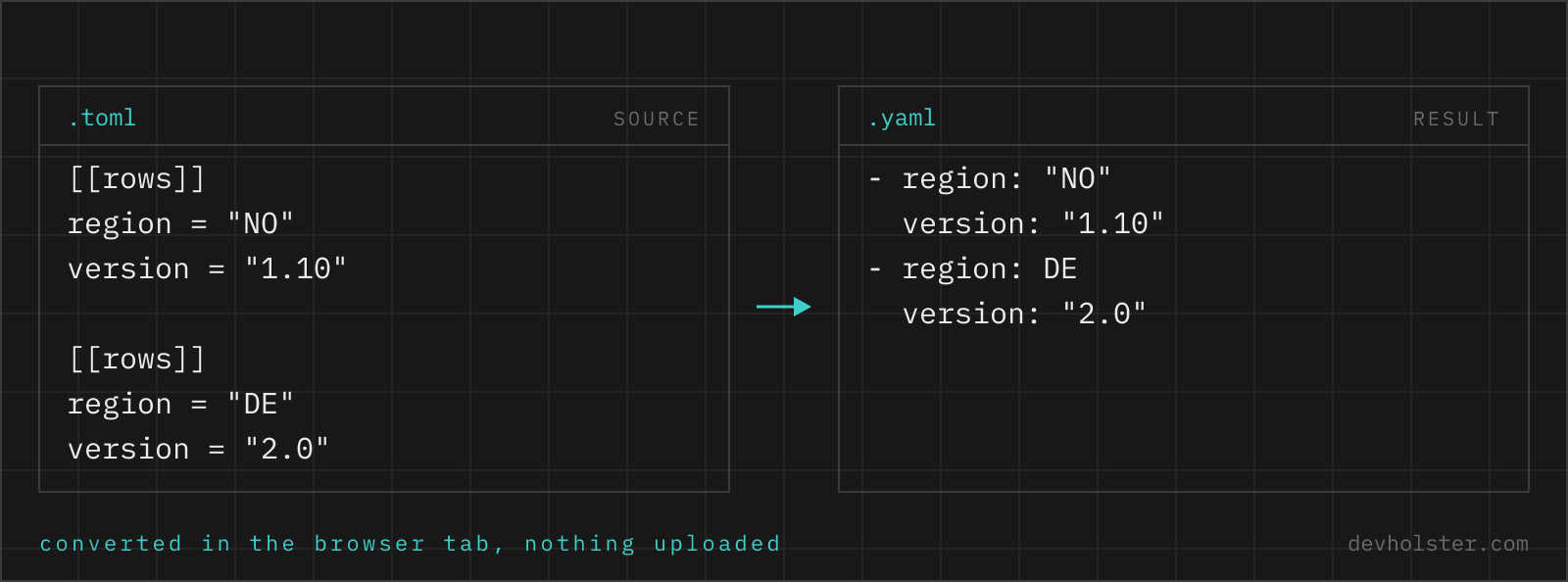
[[servers]] sections | servers: sequence of mappings |
a.b.c = 1 dotted key | nested mappings a: b: c: 1 |
point = { x = 1 } inline table | ordinary point: mapping |
2024-05-14 local date | 2024-05-14 timestamp, unquoted |
"""multi-line""" | quoted scalar with escapes |
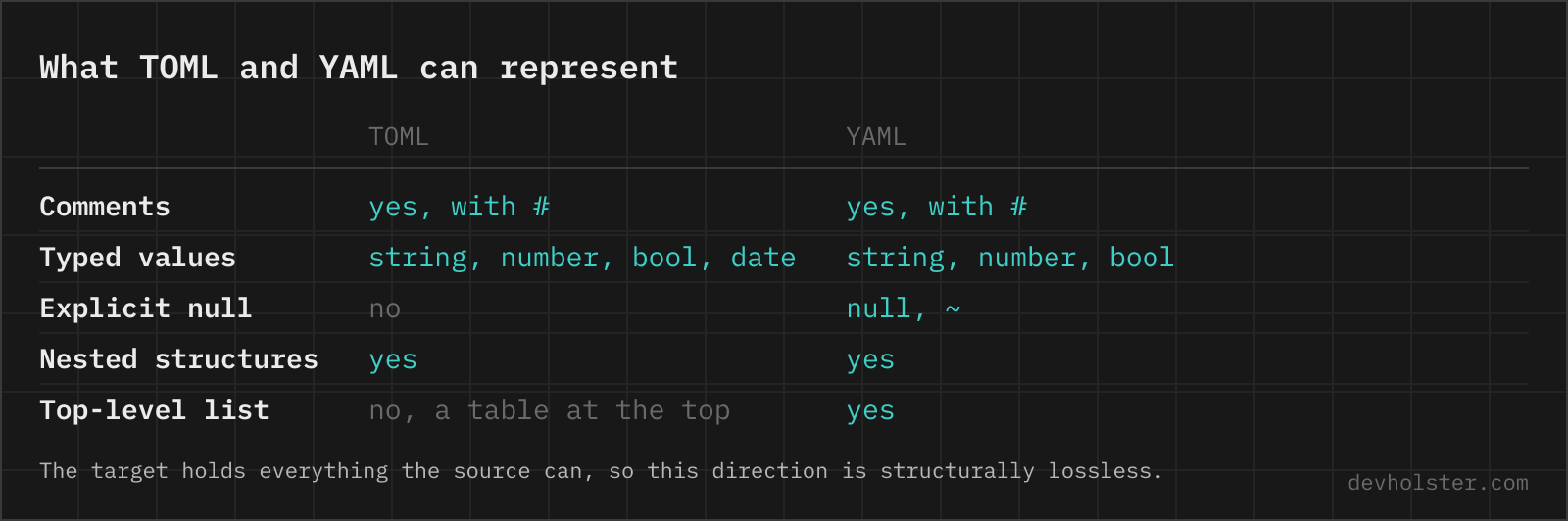
# comment | not carried over |
Key order inside every table is preserved. The structural translation is mechanical because TOML's data model is a strict subset of YAML's: every TOML document is expressible in YAML, which is why this direction never fails on valid input, while the reverse direction has to reject nulls and top-level lists.
Dates survive as real timestamps
TOML is one of the few formats with first-class dates: since = 2023-04-01 is a date value, not a string. YAML (in its 1.1 flavor, which is what PyYAML and most consumers implement) also has a native timestamp type, so this converter hands dates across natively: the output shows since: 2023-04-01, unquoted, and a YAML parser with timestamp support reads it back as a date object. Date-only values stay date-only rather than gaining a spurious midnight, and datetimes keep their time part.
The caveat sits at the destination. Parsers differ in what they do with bare timestamps: PyYAML returns datetime objects, most JavaScript parsers return strings, and strict YAML 1.2 core-schema parsers treat them as plain strings by design. If the consuming system must see a string, quote the value after converting; if it must see a date, test one round trip before trusting fifty.
Why some strings in the output get quotes
In TOML every string is quoted, so ambiguity cannot exist. YAML allows bare scalars, and a bare scalar's type depends on its spelling: no parses as false, 1.10 as the number 1.1, 0x1A as 26. A converter that just drops the quotes everywhere silently changes data, and this failure has a name, the Norway problem, after the NO country code that became false in production.
This tool quotes exactly the strings whose bare form would be misread under YAML 1.1 or 1.2 rules and leaves the rest plain. name: alpha comes out bare, country: "NO" and version: "1.10" come out quoted, and both are correct: the quotes are load-bearing. --quote-strings extends them to every string if your style prefers uniformity.
Pitfalls to check after converting
- Comments are gone. The conversion goes through parsed data, and comments live in the text. TOML and YAML both use
#, so moving the important ones over is copy-paste; budget the five minutes. - Big integers. TOML guarantees 64-bit integers; JavaScript-based YAML consumers hold exact integers only to 2^53. An ID with 17+ digits can lose precision at the destination even though the YAML text is exact. Quote such values into strings when the consumer is JS.
- Timestamps at strict parsers. A YAML 1.2 core parser reads
2023-04-01as a string, not a date. Know which flavor your consumer speaks before relying on typed dates. - Duplicate data stays duplicated. TOML had no anchors, so repeated blocks in the source are repeated in the output. If the YAML will be hand-maintained, consider introducing an anchor for the shared block yourself.
- Schema still applies. A converted config is valid YAML, not automatically a valid workflow file or values file; the consuming tool's field names and structure are a separate contract.
Types that survive the trip
How do I convert TOML to YAML on the command line?
yj -ty < config.toml > config.yaml, using the same single-binary yj that handles all directions between TOML, YAML, JSON and HCL. The Go yq reads TOML too since v4.34: yq -p=toml -o=yaml config.toml. In Python, yaml.safe_dump(tomllib.load(open("config.toml", "rb")), sort_keys=False) works with nothing but the standard library on 3.11+, though TOML datetime objects need a default= handler if any are present.
Can GitHub Actions or Kubernetes read a TOML config?
No. GitHub Actions workflows are YAML only, Kubernetes manifests are YAML or JSON, and the same goes for docker-compose, Ansible and most of the CI world. That asymmetry is the most common reason to convert TOML to YAML: settings that live comfortably in a TOML file have to be re-expressed the moment they feed one of those systems. The data model transfers one to one, so the conversion is lossless apart from comments.
What is the difference between TOML and YAML?
Both are human-editable config formats for the same data shapes; they differ in how much rope they hand you. YAML expresses nesting by indentation, supports anchors for reuse, multi-document streams and unquoted scalars whose type depends on spelling, which makes it powerful and occasionally treacherous. TOML uses explicit [section] headers, has no references, and every string is quoted, so a value can never silently change type. YAML reads better deeply nested; TOML edits more safely flat. Ecosystem decides in practice: Kubernetes and CI speak YAML, Rust and Python packaging speak TOML.
How do TOML inline tables convert to YAML?
They become ordinary mappings, indistinguishable from ones written as [sections]: point = { x = 1, y = 2 } and a [point] table produce identical YAML, x: 1 and y: 2 under point:. Inline tables are purely a compactness syntax in TOML (and before TOML 1.1 they cannot even span lines), so nothing is lost by normalizing them. If you want the compact look back in YAML, that would be flow style ({x: 1, y: 2}), which formatters emit on request but this converter avoids for readability.
Why does my dotted TOML key become nested YAML?
Because dotted keys are nesting in TOML: physical.color = "orange" defines a color key inside a physical table, and the parsed data is identical to writing [physical] with color = "orange" under it. The YAML faithfully mirrors that structure as physical: with color: nested below. If you wanted a literal key containing a dot, TOML requires quoting it ("physical.color" = …), and then the YAML shows the flat quoted key instead.
How do I use values from a TOML file in a Helm chart or Ansible playbook?
Convert the TOML to YAML once and mount it where the tool expects values: as a values file passed with -f for Helm, or loaded with include_vars for Ansible. Both tools template against YAML data and have no TOML loader. For a living config, automate the conversion in CI (yj -ty in a make target) so the YAML is generated, never hand-edited; two hand-maintained copies of the same settings drift within weeks.
Does YAML have arrays of tables like TOML?
YAML does not need a special syntax for them: a TOML [[servers]] section list is simply a YAML sequence of mappings, servers: followed by dash-prefixed entries. The reverse is the interesting direction, since TOML needs the [[double bracket]] construct precisely because its flat header syntax has no other way to express a list of tables. After conversion you can append entries with two lines each, one dash and the fields, which is honestly easier to type than another [[servers]] block.