Why convert TOML to CSV at all
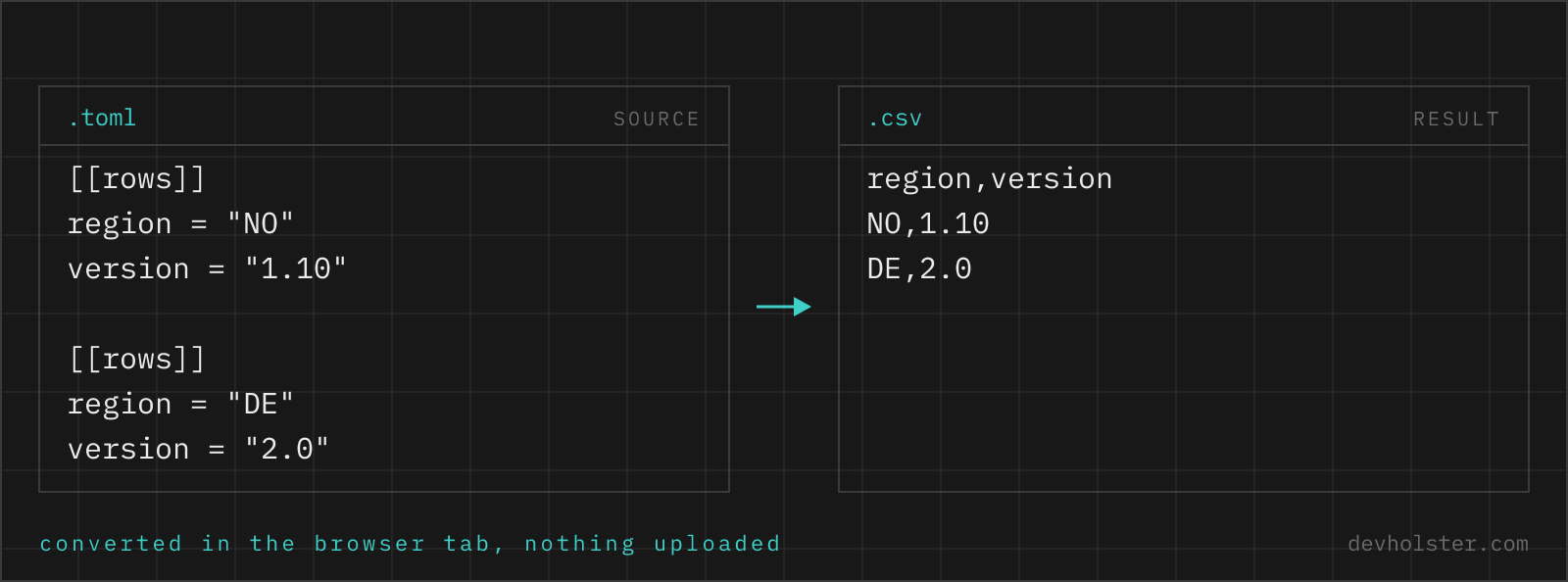
The record lists that accumulate in TOML files eventually get an audience that lives in spreadsheets. The [[members]] of a Hugo site go to whoever maintains the team page, endpoint definitions go into a review sheet, benchmark cases into a chart, the dependency section of a manifest into a license check. All of those audiences want rows and columns, and TOML's [[section]] syntax, forty entries spread over two hundred lines, is the least scannable list format ever shipped.
Converting is also the quickest sanity check of such a list: as a table, the entry with the missing field, the duplicated name and the odd port number are visible in seconds, sortable in one click.
How to use this converter
- Paste or drop your TOML. Full TOML 1.0 parses; syntax errors show inline with the line.
- Check the note under the output. It names the path of the record list used as rows,
$.ordersfor example, with the count next to it in the stats bar. - Copy or download. The download carries a UTF-8 BOM so Excel keeps umlauts intact on double-click.
--flatten
On by default: nested tables inside a record become dot-path columns, an inline image = { tag = "1.4" } turns into an image.tag column. Off, nested values are serialized as JSON into one cell.
--header / --semicolon
The header row on or off, and ; as delimiter for German-locale Excel, with quoting recalculated to match.
Which tables become the rows
A TOML file is a tree with, usually, one list of similar things somewhere inside it: the [[orders]] sections, a [[servers]] array, [[tool.poetry.packages]] three levels down. The converter walks the parsed document, takes the largest array of tables wherever it sits, and names its path in a note under the output: Rows taken from the 3 records at $.orders. Scalar keys above and beside the list, titles, versions, export metadata, are ignored rather than repeated into every row.
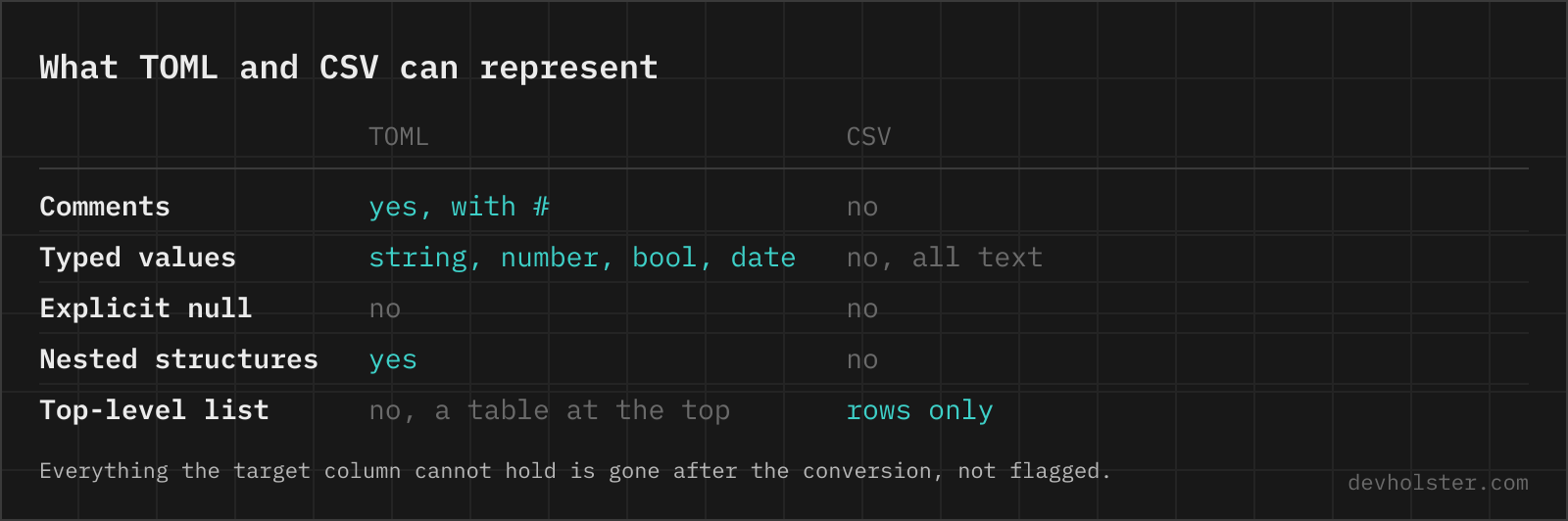
Two shapes deserve a warning. A file with no array of tables at all converts to a single row of its flattened keys, which is what you want for a flat config and rarely what you want for a nested one. And a table keyed by name, [dependencies] with one key per crate, is not an array in TOML's data model, so it becomes columns of that single row, not rows. Restructure to [[dependency]] sections, or accept the one-row view for a quick look.
Nested tables, dotted keys and the columns they become
| TOML (inside a [[record]]) | CSV column |
|---|---|
customer = "Ada" | customer |
address.city = "London" | address.city |
image = { repo = "r", tag = "t" } | image.repo, image.tag |
tags = ["a", "b"] | tags.0, tags.1 |
| key present in some records only | column exists, other cells empty |
Dotted keys and inline tables produce identical columns because they are identical data; TOML's spellings vanish at parse time. The column set is the union across all records in first-seen order, so optional keys appear as sparse columns rather than being dropped. Quoting follows RFC 4180: a value containing the delimiter, quotes or a line break is wrapped, and multi-line TOML strings survive as one quoted cell.
Dates, numbers and the Excel handoff
TOML dates are real typed values, and they leave here as ISO 8601 text: a date-only placed = 2024-05-14 becomes exactly 2024-05-14, no invented midnight, while full timestamps keep their time and zone. ISO text is the form spreadsheets, databases and parsers agree on, and it sorts correctly even when treated as plain text. Numbers keep their canonical form, 1249.9 stays 1249.9, booleans become true/false.
The remaining risk sits in Excel's open-by-double-click behavior, which re-types cells by guesswork: it will happily reformat ISO dates into locale display, trim leading zeros and round long IDs. The BOM on the download prevents the umlaut breakage; the type coercion it cannot prevent. For data where that matters, import via Data → From Text/CSV with explicit column types, or convert onward with the CSV to Excel converter, which types columns losslessly by default.
Online tool vs. scripting it
If the export recurs, script it: the tomllib plus csv.DictWriter recipe, or yq -p=toml -o=csv in a make target, both pin the record path explicitly and run on any file size.
For the one-off, the browser is quicker and safer than it sounds: the record list is found and named instead of path-argument roulette, uneven records become sparse columns instead of a DictWriter exception, dates arrive as ISO without a formatter, and the file is parsed entirely in this tab. A manifest or config full of internal hostnames stays on your machine, which is the property the whole converter collection is built around.
Rows out of a config file
How do I convert TOML to CSV in Python?
Standard library only, on Python 3.11+: data = tomllib.load(open("data.toml", "rb")), pick the list (rows = data["orders"]), then csv.DictWriter(f, fieldnames=rows[0].keys()) with writeheader() and writerows(rows). Two details: tomllib requires the binary file mode, and DictWriter raises on records whose keys differ from fieldnames, so compute the union of keys across all records first when the tables are uneven, exactly the situation TOML's optional keys produce.
How do I convert TOML to CSV on the command line?
The Go yq reads TOML and writes CSV: yq -p=toml -o=csv '.orders' data.toml, where the path picks the [[array of tables]] to export. The records should be flat; nested tables need a map(flatten-style) expression first. dasel does the same with dasel -f data.toml -w csv after selecting the list. Both auto-stringify types on the way out, which for CSV is fine, and neither writes a BOM, so add one if Excel is the destination and the data carries non-ASCII.
How do I open a TOML file in Excel?
Not directly: Excel has no TOML import anywhere, not in double-click, not in Power Query's format list. Convert to CSV or XLSX first and open that. The shape question matters more than the format question: a TOML config that is nested settings produces a poor table, while a [[section]] list converts into clean rows. For the settings case, a two-column path/value listing is the readable spreadsheet form, and for the record case any TOML-to-CSV converter gets you there in a minute.
How do I get the dependencies of a Cargo.toml as a list or spreadsheet?
Let cargo do it, since the manifest alone understates the truth: cargo tree prints the resolved graph, and cargo metadata --format-version 1 emits JSON with every dependency and its exact version, which converts on to CSV cleanly. Reading Cargo.toml directly is misleading for this purpose because [dependencies] is a table keyed by crate name, ranges instead of resolved versions, and it misses transitive dependencies entirely. For a quick review of just the direct list, converting the manifest works; for an audit, use the resolved metadata.
Which TOML structures fit into a CSV table?
Arrays of tables, the [[server]] lists, map one to one: each section a row, each key a column, and uneven sections just leave empty cells. Everything else fits with degradation. A single flat [table] becomes a one-row CSV, acceptable for a quick look. Deeply nested settings become either wide dot-path columns or a path/value listing. What never fits is a config where every subtree is shaped differently; a table needs repetition, and if the TOML has no repeated structure, there is no table hiding in it.
What format should dates have in a CSV file?
ISO 8601, written as 2024-05-14 for dates and 2024-05-14T09:30:00Z with timezone for timestamps. It is unambiguous (no month/day confusion), sorts correctly as text, and every database, spreadsheet import and parser accepts it. Locale formats like 05/14/2024 flip meaning between countries and break text sorting. TOML is friendly here because its native date type already is ISO 8601, so a converter can pass dates through verbatim; the one thing to configure at the Excel end is importing the column as date or text deliberately, not by guess.