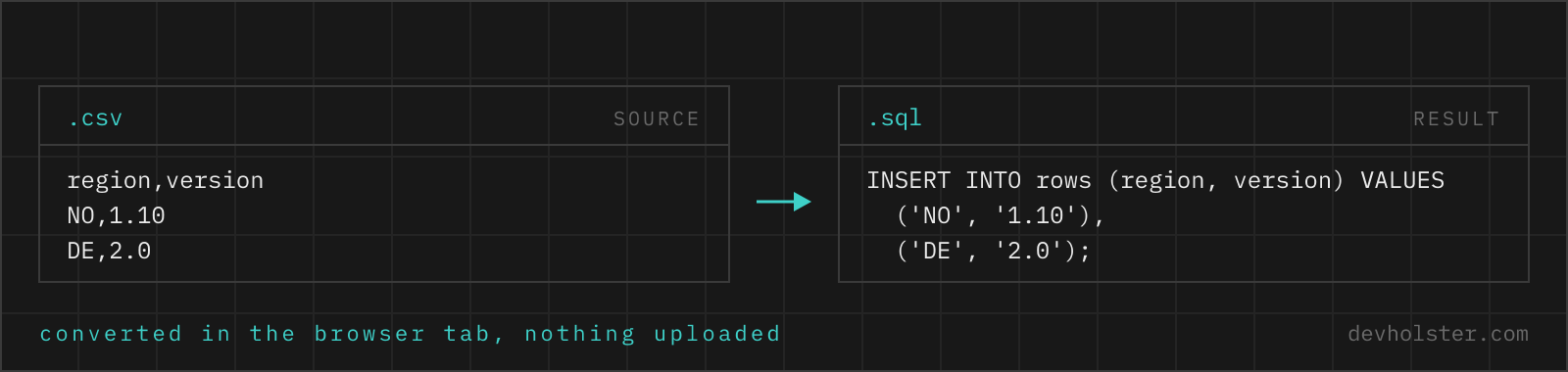
Why generate INSERT statements from CSV
Because the data is in a file and the database speaks SQL. Seed data for a new service, a lookup table from the business side, test fixtures, a one-time migration from a spreadsheet-driven process: all of these are CSV-shaped and end in a database. INSERT statements are the most portable bridge there is, they run in every SQL client, paste into every migration file, review like code in a pull request, and need no file access on the database server.
The hazard is hand-writing them. String concatenation around real-world data fails on the first apostrophe, the first comma inside a value, the first empty cell that should have been NULL. The rules are mechanical, which makes them a generator's job; this page applies them uniformly so the statement that looks right also runs right.
How to use this generator
Paste CSV into the left pane, or drop a .csv file on it, and the SQL appears on the right while you type. The first row must be the header row; it supplies the column names.
- Paste or drop your CSV. Comma, semicolon and tab delimiters are auto-detected; quoted cells with commas and line breaks are handled.
- Type the table name. The
tablebox in the options bar feeds straight into the statements and is quoted for the dialect you picked, so a name with spaces or capitals needs no manual escaping. It is remembered for your next visit. - Run it. Copy into your SQL client or download as a
.sqlfile. The row count under the tool tells you how many rows the statement will insert, worth comparing against the count your database reports afterwards.
--create-table
Prepends a CREATE TABLE statement with column types inferred from the data: INTEGER, REAL, BOOLEAN or TEXT per column. A scaffold for quick imports and prototypes; production schemas deserve hand-chosen types and constraints.
--row-per-insert
One INSERT statement per row instead of a single multi-row statement. Slower to execute but resilient: a failing row fails alone, and line-based tooling (some migration runners, diff reviews) handles it better.
--mysql
MySQL dialect: backtick-quoted identifiers and backslashes doubled inside strings. Off, you get ANSI SQL that PostgreSQL, SQLite, SQL Server and Oracle read.
What the generated SQL looks like
| CSV input | Generated SQL |
|---|---|
name → Ada | 'Ada' |
O'Brien, Grace (quoted cell) | 'O''Brien, Grace' |
91.5 | 91.5 (bare numeric literal) |
007 | '007' (string; leading zeros survive) |
true / false | TRUE / FALSE |
empty cell / null | NULL |
header weekly downloads | "weekly downloads" (quoted identifier) |
Column names come from the header, quoted only when necessary: a lowercase single word passes bare, anything with spaces, capitals or punctuation gets ANSI double quotes (backticks with --mysql), unless you run the header through the case converter first. Empty header cells become column_1-style placeholders, since SQL cannot insert into a nameless column.
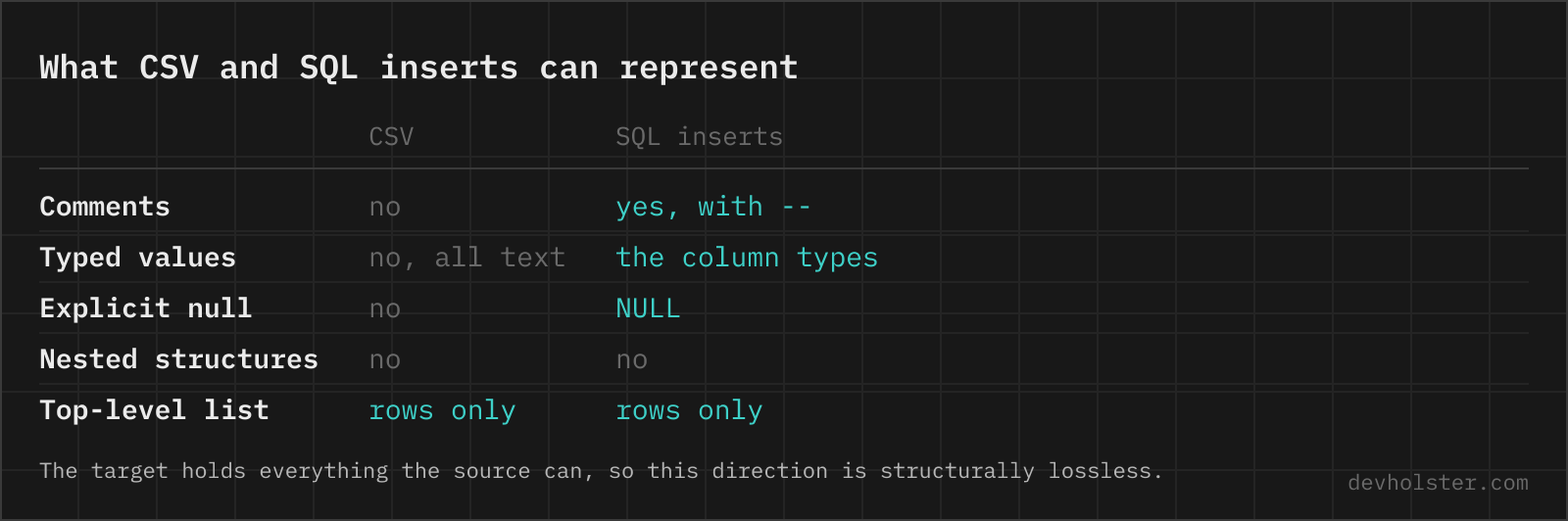
Quoting and escaping, the part that breaks hand-rolled SQL
Three rules cover the string side. Single quotes double: 'O''Brien' is the standard-mandated escape and works in every engine. Backslashes double only for MySQL, whose default mode treats \ as an escape character inside literals; PostgreSQL and friends treat it as a plain character, which is why the flag exists instead of a blanket rule. And values keep their exact text otherwise, no trimming, no case changes, no date reformatting.
On the number side the generator reuses the lossless-cast rule from our other CSV tools: a value is emitted as a bare numeric literal only if converting it to a number and back reproduces the text exactly. Everything else stays a quoted string. The consequence worth knowing: phone numbers, ZIP codes and order IDs with leading zeros arrive intact, and if the target column is numeric anyway, SQL's implicit cast of '007' to 7 happens in the database, visibly and by your schema's choice rather than silently in a converter.
One statement or many: choosing the shape
The default output is a multi-row INSERT: one statement, the rows in its VALUES list. It is the fast shape (one parse, one round trip, one transaction) and the atomic one, either every row lands or none does. That atomicity is usually what a seed or migration wants.
With one qualification that most generators skip: the batch is capped at 500 rows. Feed in 2,000 rows and you get four statements rather than one enormous line, and a note under the output says so. The cap exists because the single-statement form runs into hard limits, MySQL's max_allowed_packet (64 MB by default in 8.0, but frequently 4 MB on shared hosting) and SQL Server's 1000-row ceiling on a VALUES list. Five hundred sits in the conventional 500 to 1000 band, keeps every statement comfortably inside both limits, and still gets the batching speedup.
The per-row shape earns its place in two situations: when partial success is acceptable and you want the 999 good rows even if row 1000 is broken, and when a tool consumes statements line by line. Beyond tens of thousands of rows the next section applies instead.
When a bulk loader beats generated SQL
INSERT statements are the right tool up to roughly the tens-of-thousands-of-rows mark. Past that, every database ships a loader that reads CSV directly and skips the SQL parser entirely: PostgreSQL's COPY table FROM 'file.csv' WITH (FORMAT csv, HEADER), MySQL's LOAD DATA INFILE, SQLite's .import --csv, SQL Server's BULK INSERT. Expect one to two orders of magnitude difference; loading a million rows via INSERTs is a coffee break, via COPY a few seconds.
The loaders demand more setup, file access on or near the server, per-engine syntax, permissions, which is precisely what generated INSERTs avoid. Our division of labour: fixtures, seeds and one-off imports as INSERT files in version control, recurring or large pipelines on the native loader. This page covers the first half well and the second half not at all, on purpose.
Pitfalls to check before running
- Check the table name.
my_tableis only the starting value of the box in the options bar; the statement runs as-is only against a table that actually exists under the name you left there. - Types are the schema's job. Inferred CREATE TABLE types are generic. Dates in particular arrive as TEXT, since a converter guessing date formats is how the 5th of March becomes the 3rd of May; cast in the schema or on import.
- Transactions. Multi-row INSERTs are atomic by themselves; a file of per-row INSERTs is not. Wrap it in BEGIN/COMMIT if all-or-nothing matters.
- Duplicate handling. The statements are plain INSERTs. If rows may already exist, you want your engine's upsert form (ON CONFLICT, ON DUPLICATE KEY UPDATE, MERGE), which is schema-dependent and therefore yours to add.
- Boolean columns on MySQL. TRUE and FALSE work (they are 1 and 0), but if your column is CHAR(1) with 'Y'/'N' conventions, convert with the data, not the generator.
Questions about generated INSERTs
Is it safe to paste production data into an online SQL generator?
Only into a generator that runs in your browser, and the input here is usually the worst case: real customer or order rows on their way into a database, together with your table and column names. An upload-based tool receives the schema and the data in one paste. Generation runs here as JavaScript inside your tab, with no upload and no logging, and the page works offline. For any other tool, watch the Network tab in devtools while converting a dummy row first.
How do I import a CSV file into a SQL database?
For a one-off of modest size, generate INSERT statements here and run them in any SQL client, psql, MySQL Workbench, DBeaver, an ORM migration. For recurring or large imports, use the database’s native loader instead: PostgreSQL’s COPY, MySQL’s LOAD DATA INFILE, or SQLite’s .import, which parse CSV directly and run orders of magnitude faster. INSERT statements win on portability and reviewability; loaders win on speed.
How do I create a SQL table from a CSV file automatically?
Several tools infer the schema for you, with the same caveat every time: the guess is only as good as the sample. csvkit's csvsql -i postgresql data.csv prints a CREATE TABLE from the whole file, DBeaver and DataGrip generate one in their CSV import wizard, and pgloader does inference plus the load in a single command for PostgreSQL. The generated types are generic on purpose, so treat them as a scaffold: widen TEXT to a sensible VARCHAR, give money columns NUMERIC rather than a float, and turn date-looking strings into real DATE or TIMESTAMP columns before anyone inserts a second batch. Inference reads leading zeros, phone numbers and long IDs as numbers unless you stop it, which is the mistake that is expensive to undo later.
Why are some numbers in quotes in the generated SQL?
Because unquoting them would change the data. The generator only writes a bare numeric literal when the text survives a number round trip: 42 and 91.5 stay bare, but 007 (leading zeros), 1.10 (trailing zero) and 17-digit IDs stay quoted strings, since as numbers they would silently lose information. Whether the target column is TEXT or NUMERIC then decides how the database stores it; SQL casts string literals to numeric columns automatically.
How are single quotes inside values escaped?
By doubling them, the SQL-standard rule: O’Brien becomes 'O''Brien'. With --mysql on, backslashes are additionally doubled, because MySQL in its default mode treats backslash as an escape character inside string literals, a nonstandard behaviour ANSI databases like PostgreSQL do not share. This is exactly the difference that makes hand-concatenated SQL break on the first Irish surname.
What is the difference between one big INSERT and one INSERT per row?
A multi-row INSERT (VALUES (...), (...), ...) is one statement and one round trip, typically 5 to 20 times faster than the same rows as individual statements, and it is atomic: all rows or none. Per-row INSERTs are resilient instead, one bad row fails alone, and some tools (older MySQL clients, certain migration runners) want one statement per line. Default here is multi-row; --row-per-insert switches.
How does the CREATE TABLE type inference work?
Each column’s data cells are examined: all-numeric columns become INTEGER (or REAL if any value has a decimal part), all true/false columns become BOOLEAN, everything else TEXT, and empty cells do not influence the type. These types are deliberately generic ANSI-ish names; tighten them for your engine (VARCHAR lengths, NUMERIC precision, TIMESTAMP columns) before running in production. The statement is a starting scaffold, not a finished schema.
How do empty CSV cells come through, as NULL or empty string?
As NULL, and so does the literal text null. An empty cell in a CSV usually means "no value", and NULL is SQL’s word for that; an empty string is a value, a different thing. If your data legitimately contains empty strings that must stay strings, note that even a quoted empty cell ("") arrives as NULL here; replace such cells with a marker first and update them after the import.
Why do dates from a CSV import wrong or get rejected?
Because the file states a format nowhere and the database assumes one. 03/04/2026 is 3 April in a European export and 4 March in an American one, and both import without an error, which is the dangerous part. Databases expect ISO order: PostgreSQL and SQLite read YYYY-MM-DD reliably, MySQL the same, and anything else depends on a session setting such as DateStyle. Convert to ISO before the import rather than after, keep two-digit years out entirely, and if the values carry a time, decide whether it is UTC or local before it lands in a column that cannot tell you afterwards. Excel makes this worse by reformatting date cells on open, so check the CSV in a text editor, not in the spreadsheet.
Should identifiers be quoted with double quotes or backticks?
Depends on the database: double quotes are the SQL standard (PostgreSQL, SQLite, Oracle, SQL Server with default settings), backticks are MySQL and MariaDB. This generator writes ANSI double quotes by default and backticks with --mysql, and it only quotes identifiers that need it, lowercase names without spaces stay bare, which keeps the SQL readable in every dialect.
Is there a limit on how many rows one INSERT statement can hold?
Practical limits, yes. MySQL bounds the total statement size via max_allowed_packet (default 64 MB in 8.0), SQL Server caps a VALUES list at 1000 rows, and very long statements strain parsers everywhere. A useful convention is batches of 500 to 1000 rows per statement. For files where that starts to matter, a bulk loader (COPY, LOAD DATA) is the honest answer; the FAQ entry on importing covers when to switch.